DJing and most production on one laptop
Apple MacBook Air (M5)
A fast, silent laptop with all-day battery and 512 GB as standard; only two ports and a 60 Hz screen.
Photos: Apple
of 17 reviews recommend it
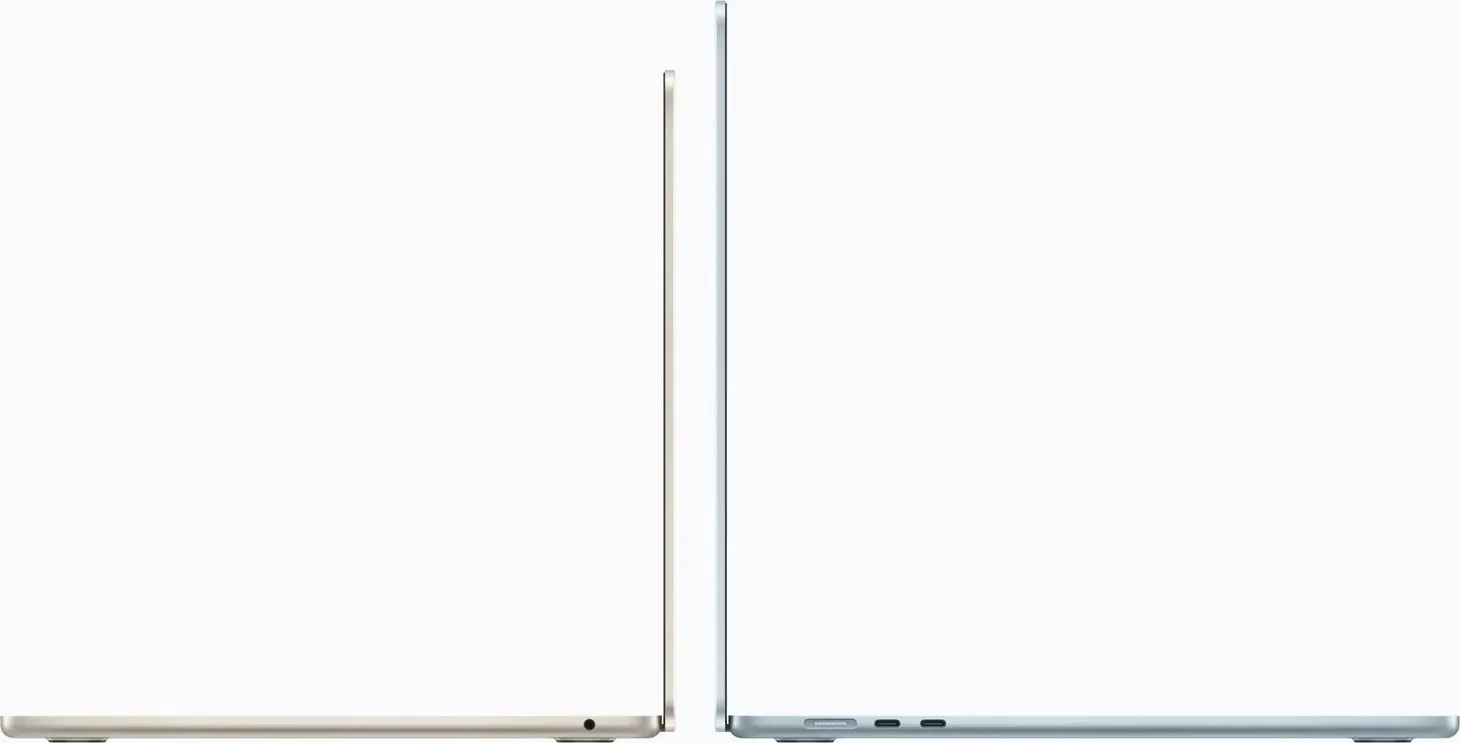
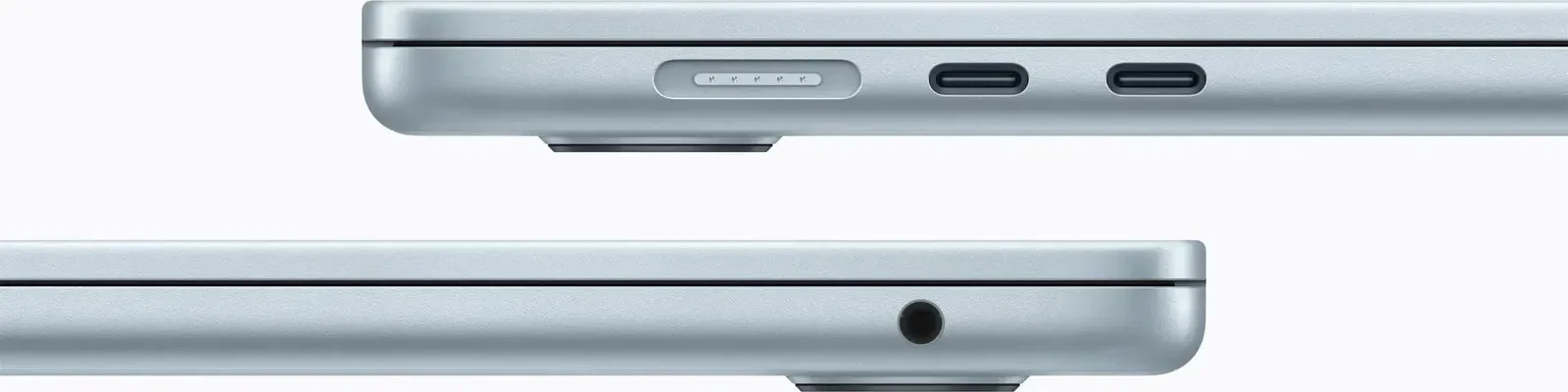
Choose it if you DJ, or DJ and produce, on one laptop. It has no fan, so it makes no noise while you record, and Apple sells it with 16 or 24 GB of memory as standard, which meets rekordbox's 16 GB for Stems. Apple launched it on macOS 26, the newest version rekordbox and Traktor list. Its limit is two Thunderbolt 4 ports, both on the left: a controller, an audio interface and a drive won't all plug in without a hub, and seven reviews found it slows under long, heavy loads. If your sessions are that big, the MacBook Pro has the ports and a fan.
- Best for
- DJing and most music production on a light laptop that stays silent.
- Skip it if
- You own an M4 Air, or run long, heavy renders and need more ports.
What people praise
- Battery lasts a full working day or more
- Storage now starts at 512 GB and is about twice as fast
What to know first
- A small step from the M4 Air, not worth upgrading from one
- Starts at a higher price than the M4 model did
Video reviews
- Byte ReviewJun 2026Recommends
- Adam Talks TechMay 2026Recommends
Producing on the move, with more ports
Apple MacBook Pro 14-inch (M6)
Fast, long-lasting and well connected, but it ships with macOS 27, which Traktor and rekordbox don't list yet.

Photos: Apple
of 5 reviews recommend it
Choose it if you produce on the move and want the ports without a hub: three Thunderbolt 4, HDMI, an SD card slot and the headphone jack, per Apple, with storage from 1 TB, and two reviews rarely heard its fans in everyday work. It ships with macOS 27, and a Mac can't install a version older than the one it came with, Apple's installer page says. It meets Logic Pro's and FL Studio's requirements; rekordbox's requirements stop at macOS 26, and Native Instruments doesn't support macOS 27 yet. If you DJ with either, buy the Air until they do.
- Best for
- Producers and DJs who want HDMI, an SD slot and long battery life.
- Skip it if
- Your DJ software doesn't support macOS 27 yet, or you need Thunderbolt 5.
What people praise
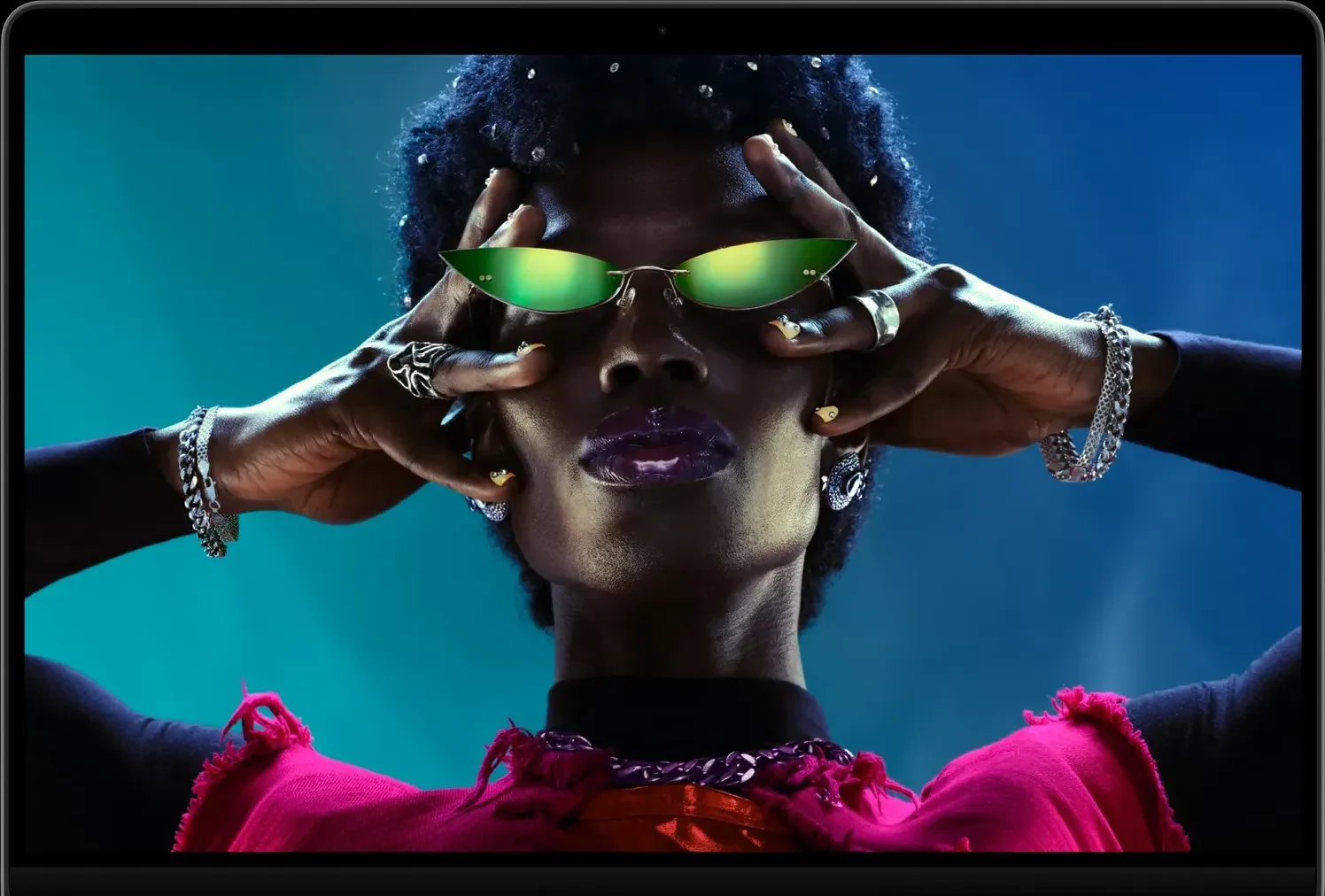
- Bright, sharp 120 Hz display
- Long battery life, about 19 hours in three browsing tests
What to know first
- Little has changed beyond the chip; the design dates from 2021
- Starts higher than last year's base model
A studio desk where the computer never moves
Apple Mac mini (M6)
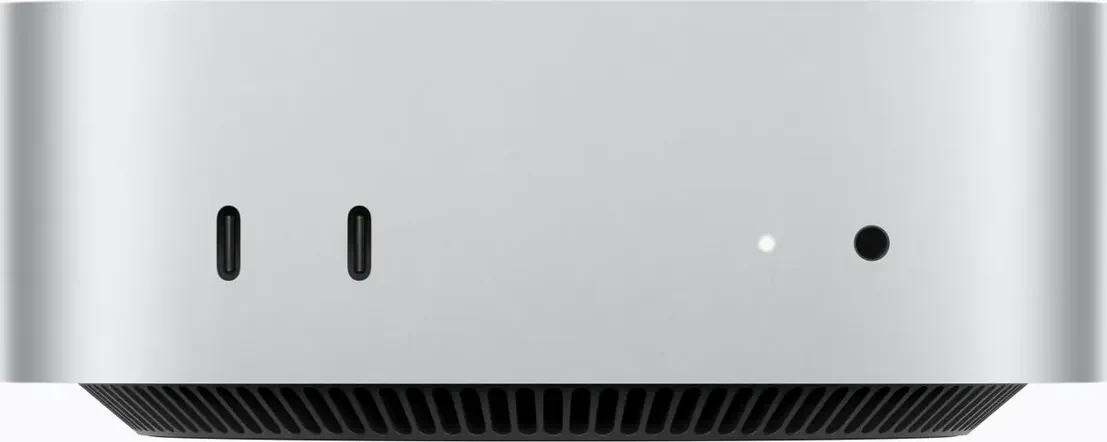
A fast, small and mostly quiet desktop for a studio; it costs more than the M4 model and upgrades are pricey.
Photos: Apple
of 9 reviews recommend it
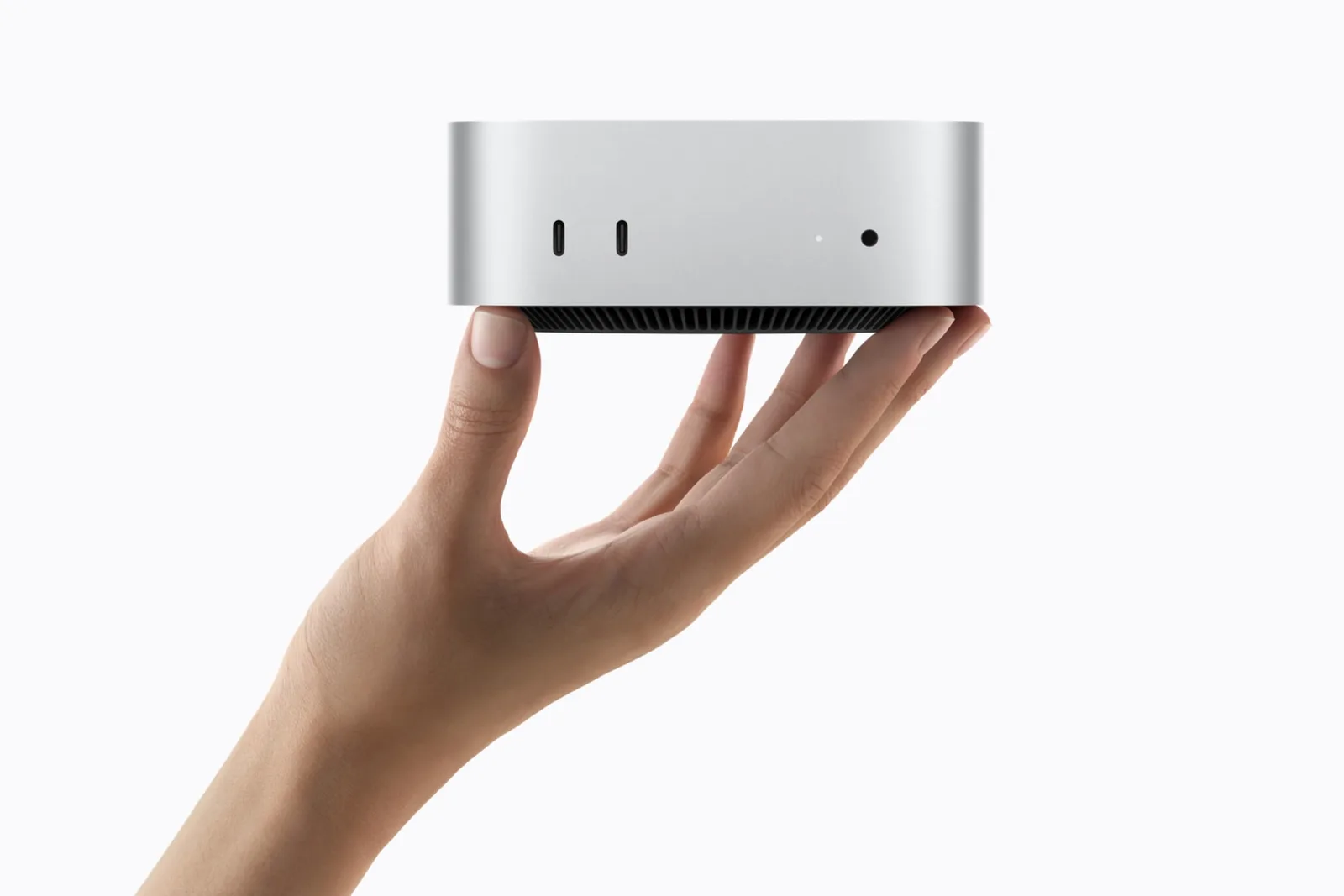
Choose it for a studio desk or a DJ prep station that never goes to a gig. It has the M6 chip of the MacBook Pro in a 0.67 kg box, with a headphone jack and two USB-C ports on the front and three Thunderbolt 4 ports, HDMI and Ethernet on the back, per Apple. You supply the display, keyboard and speakers; the best audio interfaces and 5-inch studio monitors cover the sound. Five reviews found it quiet in everyday use and two heard the fan under a sustained full load, so keep it away from a recording microphone. It also ships with macOS 27, which rekordbox and Traktor don't list yet.
- Best for
- A home studio or DJ prep desk where the computer never moves.
- Skip it if
- You play out with it, or need Thunderbolt 5 or over 32 GB.
What people praise
- Strong performance from the M6 chip for its size and price
- Small, well-built design
What to know first
- Starts well above the M4 model's price, so less of a bargain
- Memory and storage upgrades are expensive
Video reviews
- Luke MianiSep 2026Recommends
Software that runs only on Windows
ASUS Zenbook S 16 (UM5606GA)
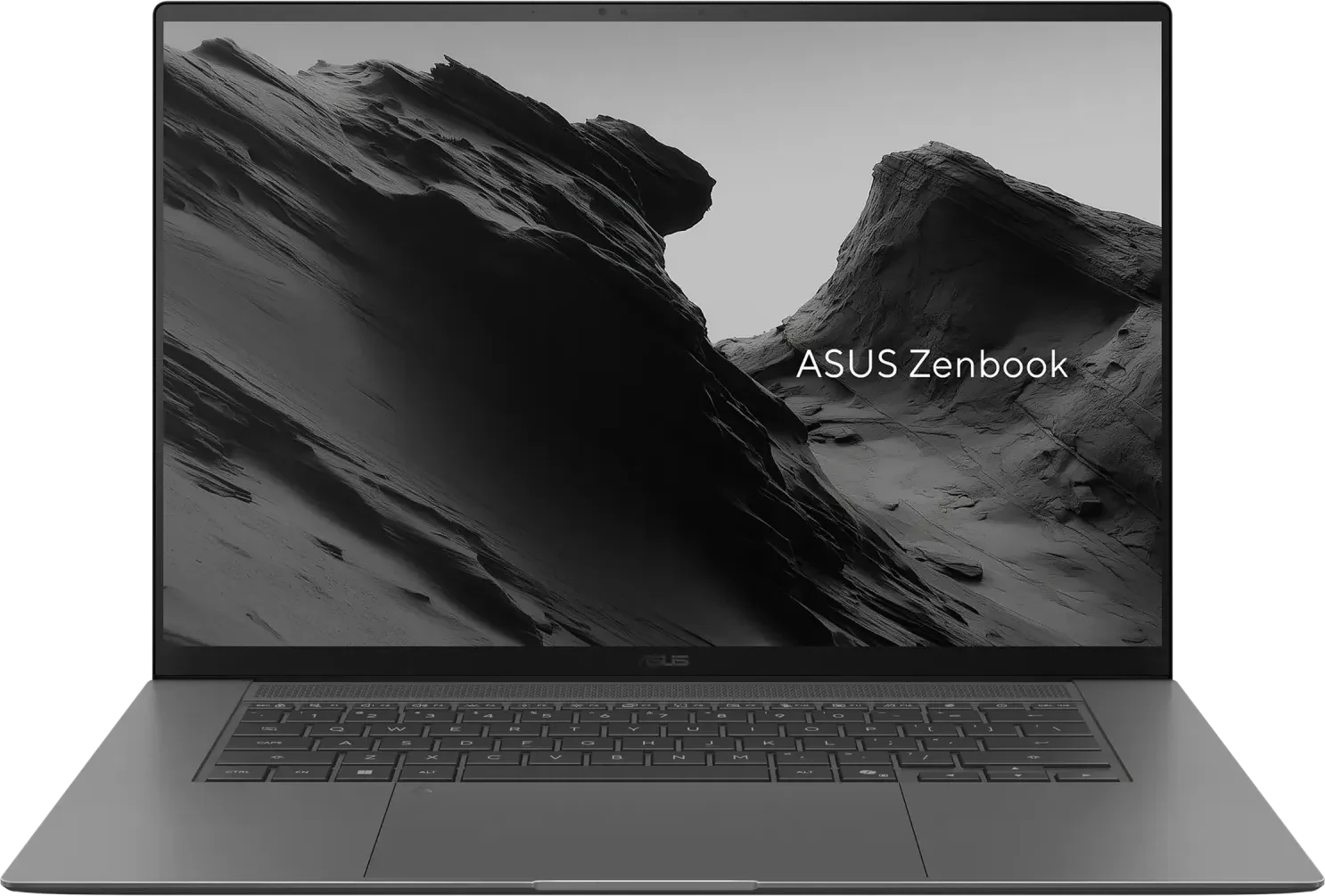
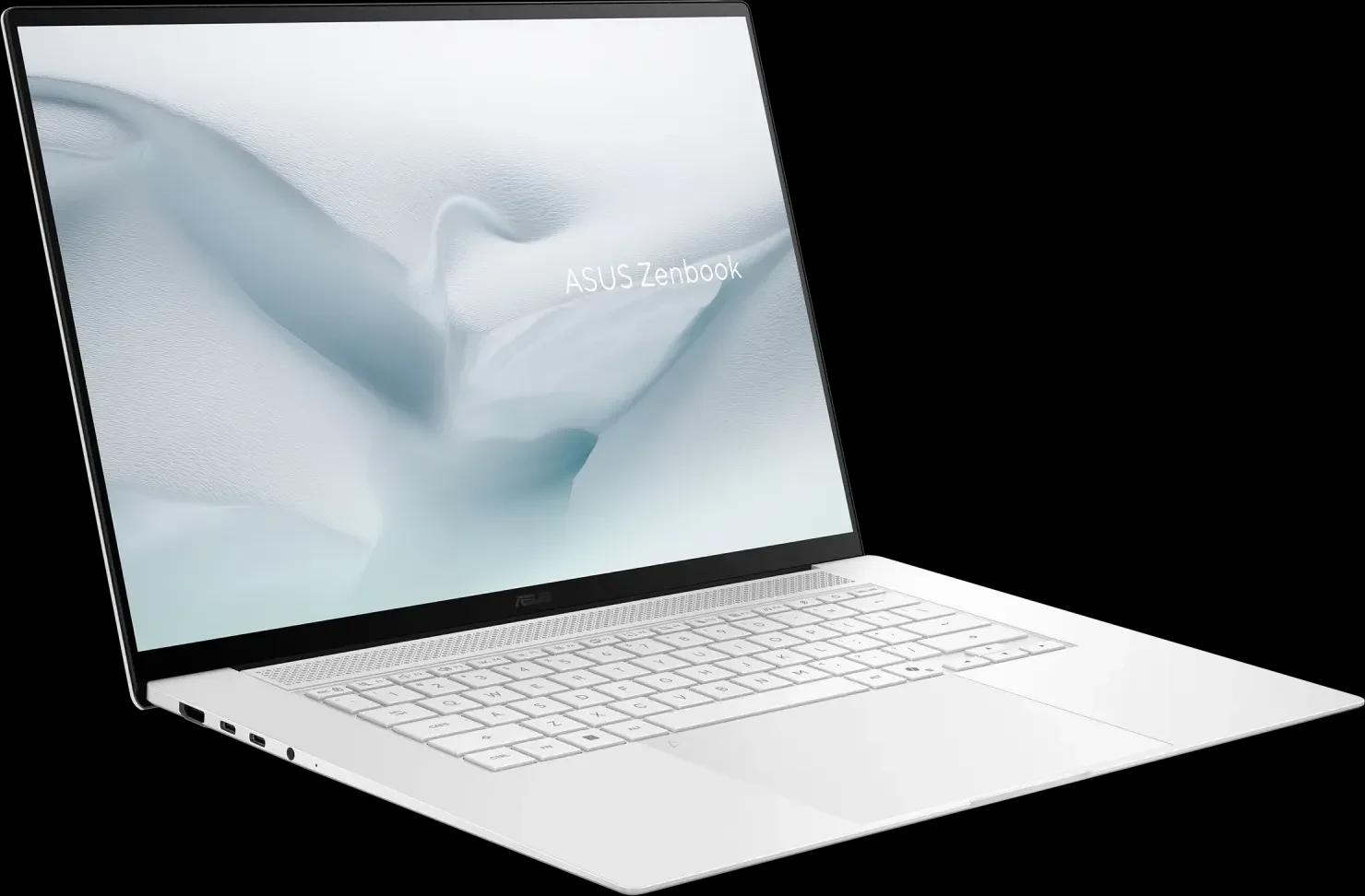
A light 16-inch Windows laptop with an excellent OLED, USB-A and SD slot; integrated graphics, loud in Performance mode.
Photos: ASUS
of 16 reviews recommend it
Choose it when a plug-in, a DAW licence or your employer keeps you on Windows. It is the one current Windows laptop the shops we track sell new in all five markets, and it has the ports the Macs lack: a USB-A port for a controller's cable, HDMI, a full-size SD card slot and a headphone and microphone jack beside two USB4 ports, per ASUS. It is a 16-inch laptop at 1.50 kg, so it takes more room in the bag and the booth than the Air. Reviewers found its fans quiet in everyday use and in the Standard and Whisper modes, but loud in Performance mode, where Notebookcheck measured about 50 dB(A); keep it out of Performance mode while you record. Its memory is soldered, so choose it at order, and run the latency check below before the return window closes. For a lighter Windows laptop that is harder to buy, see the ThinkPad under Also considered.
- Best for
- DJs and producers who need Windows and want a big screen that still travels.
- Skip it if
- You need a dedicated graphics card or memory you can upgrade later.
What people praise
- Excellent, bright OLED screen
- Long battery life in most tests
What to know first
- Expensive
- Integrated graphics only, so not for gaming or heavy sustained work
Video reviews
- Yousuf VilayatJun 2026Recommends
- TechniquedMay 2026Recommends
Also considered
- Lenovo ThinkPad X1 Carbon Gen 14 Aura Edition. The laptop for when a plug-in, a DAW licence or an employer keeps you on Windows: all eight professional reviews recommend it, and from 0.977 kg it is lighter than either Mac laptop or the Zenbook, with three Thunderbolt 4 ports, one USB-A, HDMI and a headphone and microphone jack, per Lenovo's specification. It isn't a pick because Amazon sells it new only in the US and Germany; elsewhere, check Lenovo's own store. Its memory is soldered, so choose it at order, and run the latency check below before the return window closes.
- MacBook Pro with M5 Pro or M5 Max. Apple's 14- and 16-inch versions with these chips move to Thunderbolt 5 and much more memory, and from 6 November a PROLED XDR model adds an OLED touch screen. That is far more than DJ or most production software asks for; the reviews above cover the M6.
- Mac mini with M5 Pro. The Mac mini also comes with the M5 Pro chip, which adds Thunderbolt 5 and more memory to order; it has no page here yet.
- A desktop PC you build or have built. It can be upgraded, which no machine above allows, and it is the only route to more than one internal drive. Parts change too fast to recommend one; if you go this way, run the latency check below before the return window closes.
- The MacBook Neo. Apple's cheapest laptop uses the A18 Pro, a phone-class chip, with 8 GB of memory fixed at purchase, per Apple: half the 16 GB rekordbox asks for Stems. Why DJs use MacBook Pros compares it with the Air and Pro.
- An older Intel Mac. Logic Pro needs a Mac with Apple silicon, per Apple, and every Mac Apple sells uses its own chips. The XMG DJ 15 review that used to live here covered a 10th-generation Intel laptop on Windows 10; that page is retired.
How to choose a computer for music production
Start from the software
The software sets the floor. rekordbox 7.2.19 asks for Windows 10 or 11, or macOS 13 to 26, an Intel, AMD Ryzen or Apple M1 or later processor with AVX2, 8 GB of memory or 16 GB for Stems and Groove Circuit, and 2 GB of disk space before your music. FL Studio runs on Windows 10 or 11 and macOS 10.15.7 or later with Intel, AMD or Apple silicon processors, needs 4 GB of memory and 4 GB of disk, recommends 8 to 16 GB and an SSD, and does not support Windows on ARM. Logic Pro runs only on a Mac with Apple silicon, so choosing Logic chooses the platform. Serato DJ Pro and Ableton Live publish their own requirements on their support sites; check them for the version you will run. See what rekordbox is and Serato DJ Pro for what each does, and the best DJ software for the choice between them.
Check the macOS version as well as the chip
Apple's current release is macOS 27. rekordbox's requirements stop at macOS 26, and Native Instruments says its software and hardware are not supported on macOS 27 yet and supports Traktor Pro 4 on macOS 26 from version 4.4.1. That matters more when you buy than when you update: the M6 Mac mini and MacBook Pro ship with macOS 27, and Apple's installer page says a Mac can install only versions no earlier than the one it came with. The MacBook Air M5 launched on macOS 26. On any Mac you already play or produce on, don't update until your software lists the new version.
Memory and storage are fixed at purchase
Apple's memory and storage are chosen when you order, and ASUS's and Lenovo's memory is soldered; only the Windows laptops' single SSD can be swapped. Take rekordbox's 16 GB for Stems as the practical minimum for any machine that will do more than play two decks, and remember that rekordbox's 2 GB excludes the music library. A CD-quality WAV runs at 1,411 kbps against 320 kbps for the best MP3, so a lossless library needs about four times the space; size the drive for the library you want, not the one you have. An external drive takes the archive; the external drives guide and the USB sticks guide cover what works on players.
Count the ports
Write down what plugs in at once: the controller, an audio interface, an external drive, a display, a charger. The MacBook Air has two Thunderbolt 4 ports, the MacBook Pro three plus HDMI and an SD slot, the Mac mini five USB-C ports plus HDMI and Ethernet, the Zenbook S 16 two USB4 ports, one USB-A, HDMI and an SD slot, and the ThinkPad three Thunderbolt 4 ports, one USB-A and HDMI. Only the Windows laptops have a USB-A port, so a controller with a USB-A cable needs an adapter on the Macs. A hub fills the gap but is one more thing to fail at a gig. Every pick keeps a 3.5 mm headphone jack, which matters for cueing on a laptop without a controller. The best DJ controllers guide lists what each controller needs.
On Windows, check audio latency before the return window closes
Windows laptops can be fast on paper and still click and drop out in a DAW or DJ software. The cause is usually a driver that holds the processor in interrupt or deferred procedure calls for too long: LatencyMon, which checks whether a Windows system is suitable for real-time audio, explains that an audio application can't proceed until those routines finish, so long ones delay audio buffers and the result is audible as dropouts, clicks and pops. Its guideline is to keep them under 100 microseconds, which it notes hardware often makes hard. Run its Home Edition on a new Windows laptop for half an hour with your DJ software open; if it reports problems that a driver update doesn't fix, return the machine. Macs don't need this step.
Battery and weight
Apple quotes up to 18 hours of video streaming for the Air and 24 for the MacBook Pro, and ASUS up to 23 hours of video playback for the Zenbook's 83 Wh battery; Lenovo quotes up to 19.2 hours on MobileMark 30 at 250 nits for the ThinkPad's 58 Wh battery, with a Core Ultra 5 and the 1920 x 1200 screen. All are maker tests at modest brightness, not a gig with a controller drawing bus power, so plan to plug in. On weight, the ThinkPad starts at 0.977 kg, the 13-inch Air is 1.23 kg and the 15-inch 1.51 kg, the Zenbook 1.50 kg and the MacBook Pro 1.55 kg. A laptop stand adds to the bag too.
How these picks are made
Each pick is the computer with the strongest evidence for its situation that the shops we track sell new in the US, the UK, Germany, France and Spain. The evidence is what professional reviews conclude, compiled for each machine, with every source linked on its product page; Thomann and Guitar Center, where the site reads owner reviews, don't sell these models, so none are counted. Computer figures come from Apple's, ASUS's and Lenovo's specification pages, and software requirements from each software maker's own page, linked above. We haven't tested these computers. Prices come from daily tracking across the retailers we link to. The methodology explains the whole process.