An audio interface is the bridge between your analog world and your computer. It converts the signals from microphones, instruments, and turntables into digital audio your DJ software or DAW can work with — and converts it back to analog for your speakers and headphones.
Most DJ controllers have a built-in audio interface, which handles the basics. But if you produce music, stream your sets, record from vinyl, or want higher audio quality, a dedicated interface makes a noticeable difference. Better converters mean cleaner sound. Lower latency means tighter real-time response. Professional connections mean less noise.
What to Look For
These five factors determine which audio interface is right for your workflow.
Input and Output Count
The number of inputs determines how many sources you can record simultaneously. The number of outputs determines how many separate audio destinations you can route to.
For home DJ production, 2 inputs (one mic, one instrument or line) and 2 outputs (to your studio monitors) is sufficient. For vocal recording alongside production, 2–4 inputs with at least one quality preamp covers most needs. For band recording, 8+ inputs with individual preamps let you capture a full group in one take.
Don't overbuy I/O. Extra inputs you don't use add cost and complexity without benefit.
Connection Type
USB-C is the current standard for home and project studios. It's fast enough for low-latency multi-channel recording, widely compatible, and affordable. Most modern interfaces use USB-C with a USB-A adapter included.
Thunderbolt offers the lowest latency and highest bandwidth, which matters for professional studios running 32+ channels simultaneously. The Universal Audio Apollo line uses Thunderbolt for real-time plugin processing. For most home producers, Thunderbolt's advantages over USB-C are marginal.
USB-A (USB 2.0) is still found on budget interfaces and works perfectly for 2–4 channel recording. The bandwidth is adequate for home use.
Preamp Quality
Preamps amplify weak microphone signals to usable levels. The quality of your preamps directly affects vocal and instrument recordings — cleaner preamps mean less noise and more accurate tone.
Budget interfaces use functional but basic preamps. Mid-range options like the Focusrite Scarlett series use improved preamps with features like "Air" mode that adds brightness. Professional interfaces from Universal Audio, Audient, and RME use preamps that rival standalone units.
If you primarily record vocals or acoustic instruments, preamp quality should be a priority. If you're mainly using line-level sources (synths, DJ mixer outputs), preamp quality matters less.
Latency
Latency is the delay between audio entering your interface and coming back out. Low latency is critical for real-time monitoring — hearing your voice or instrument as you play without noticeable delay.
Modern USB-C interfaces achieve round-trip latency under 5ms, which is imperceptible. Thunderbolt interfaces can go lower. The interface's driver quality matters as much as the connection type — well-optimised USB drivers outperform poorly optimised Thunderbolt ones.
Software and Extras
Many interfaces include bundled software — DAWs, plugins, and virtual instruments. Focusrite includes Ableton Live Lite and a plugin collection. PreSonus includes Studio One Artist. Universal Audio includes access to their UAD plugin ecosystem.
These bundles can represent significant value, especially for producers starting out. Factor them into your cost comparison.
Recommended Interfaces by Use Case
For Home DJ Production
Focusrite Scarlett Solo — The most popular audio interface in the world for good reason. One mic preamp with Air mode, one instrument input, USB-C, and 24-bit/192kHz conversion. The Scarlett series preamps are clean and transparent. Includes Ableton Live Lite and a plugin bundle. This is the interface most home producers start with, and many never outgrow it.
Focusrite Scarlett Solo (4th Gen)
Audient iD4 MKII — A step up in preamp quality from the Scarlett Solo, with Audient's console-class preamp design. The JFET instrument input adds harmonic warmth. Mono and stereo monitoring buttons are a thoughtful touch. Excellent for vocal recording.
For Streaming and Content Creation
IK Multimedia iRig Stream — Purpose-built for streaming with loopback functionality that lets you mix DJ audio, microphone input, and computer audio into a single stream. Compact and bus-powered. A strong choice for DJs who stream sets on Twitch or YouTube.
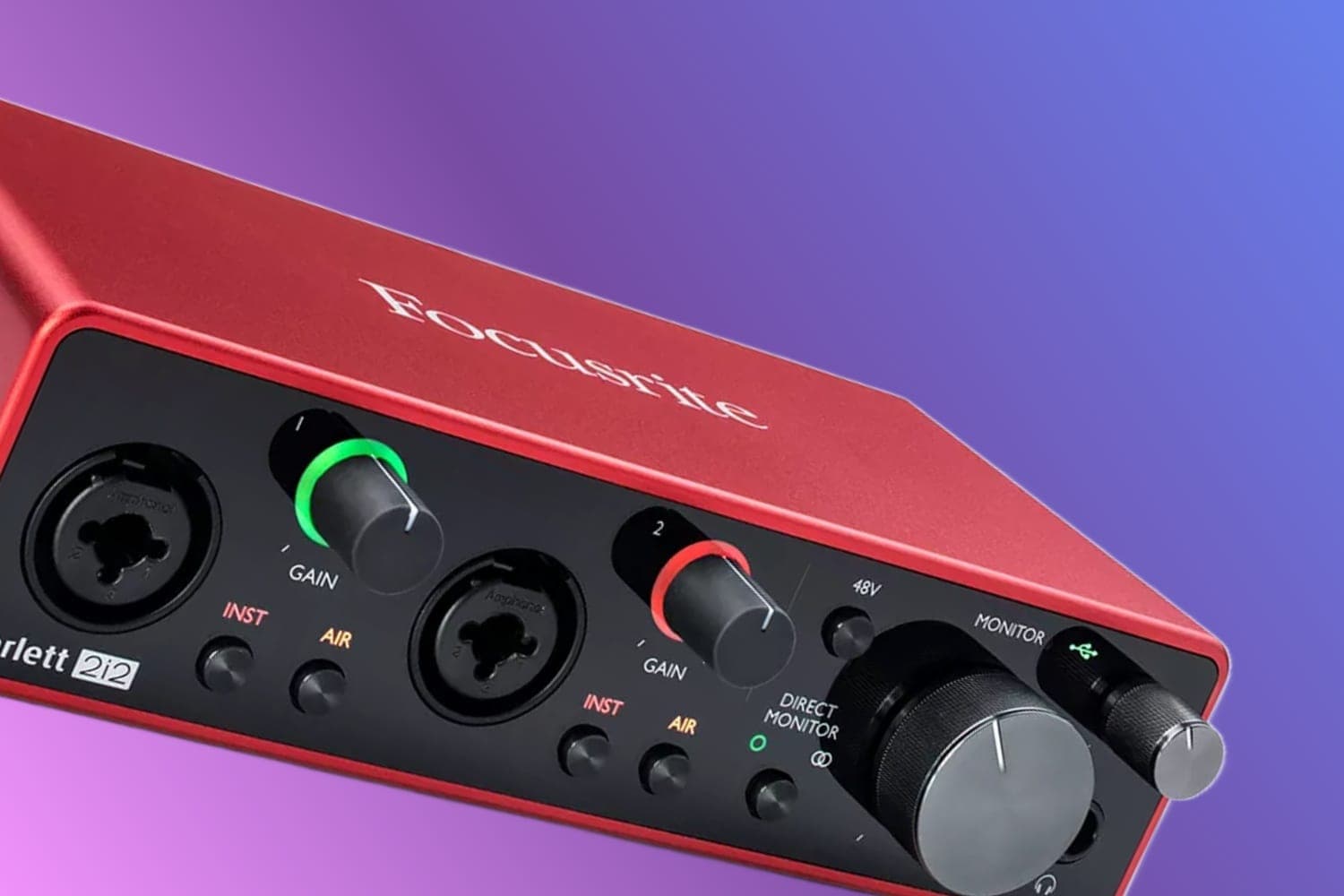
Focusrite Scarlett 2i2 — The dual-input version of the Scarlett Solo. Two preamps let you record a microphone and an instrument simultaneously, or use one input for your DJ mixer and one for a mic during streamed sets. The headphone output is improved over the Solo.
Focusrite Scarlett 2i2 (4th Gen)
For Mobile Production
Focusrite Scarlett Solo (4th Gen) — Small enough for a laptop bag with no external power needed. USB-C bus power means one cable handles both data and power. Works with iOS devices via the Camera Connection Kit.
IK Multimedia iRig Pro Quattro I/O — A portable multi-channel interface with four inputs, MIDI I/O, and battery power. Records to your phone, tablet, or laptop. Ideal for mobile producers who need more than two channels on the go.
For Professional Studios
Universal Audio Apollo Twin — Thunderbolt connectivity with onboard DSP that runs UA's acclaimed plugin emulations (Neve, SSL, 1176) with near-zero latency. The preamps are excellent. The plugin ecosystem is the main draw — you can track through classic compressors and EQs in real time without taxing your CPU.
Audient iD14 MKII — Ten inputs (two analog, eight via ADAT optical) and four outputs in a compact desktop format. The preamps match Audient's large-format console designs. An excellent middle ground between budget and professional for home studios that need expandability.
FAQs
What does an audio interface do?
An audio interface converts analog audio signals (from microphones, instruments, turntables) into digital data your computer can process, and converts digital audio back to analog for your speakers and headphones. It replaces your computer's built-in sound card with higher-quality converters, lower latency, and professional connections like XLR and TRS.
Do DJs need an audio interface?
Most DJ controllers have a built-in audio interface, so you don't need a separate one for basic mixing. However, a standalone interface is useful for DJs who produce music, stream their sets, record from vinyl turntables, or need higher audio quality than their controller provides. Producers and recording engineers always need a dedicated interface.
How many inputs and outputs do I need?
For basic DJ production, 2 inputs and 2 outputs is sufficient. If you record vocals or instruments alongside DJ sets, look for 4+ inputs. Podcasters and streamers benefit from interfaces with loopback functionality. Bands recording live need 8+ inputs. Match the I/O count to your actual workflow, not a hypothetical future need.
What is the difference between USB, Thunderbolt, and USB-C?
USB (Type-A) is the most common and widely compatible connection. USB-C is the modern standard with faster data transfer. Thunderbolt offers the lowest latency and highest bandwidth, ideal for professional studios running many channels simultaneously. For most home producers and DJs, USB-C provides more than enough performance at a lower cost than Thunderbolt.
Does a more expensive audio interface sound better?
Up to a point. The difference between a $50 interface and a $200 one is significant — cleaner preamps, lower noise floor, better converters. The difference between $200 and $500 is still noticeable but smaller. Above $500, you're paying for features (more I/O, DSP processing, build quality) rather than dramatically better sound. For home studios, a $150–$300 interface provides excellent quality.
Verdict
For most DJs and home producers, the Focusrite Scarlett Solo or Scarlett 2i2 is the right choice. Clean preamps, reliable drivers, USB-C connectivity, and a generous software bundle — all at a price that's easy to justify. The Audient iD4 or iD14 are worth the step up if preamp quality is a priority.
Streamers should look at the IK Multimedia iRig Stream for its purpose-built loopback features. Mobile producers need the iRig Pro Quattro for its portability and multi-channel capability. And professionals who want real-time plugin processing should invest in the Universal Audio Apollo ecosystem.
Match your interface to your actual workflow. A simple 2-in/2-out USB interface handles 90% of home production needs. Only scale up when your projects genuinely demand more channels, lower latency, or specific features.