
DJ Tech Reviews

Apple Mac mini (M6)

A fast, small and mostly quiet desktop for a studio; it costs more than the M4 model and upgrades are pricey.

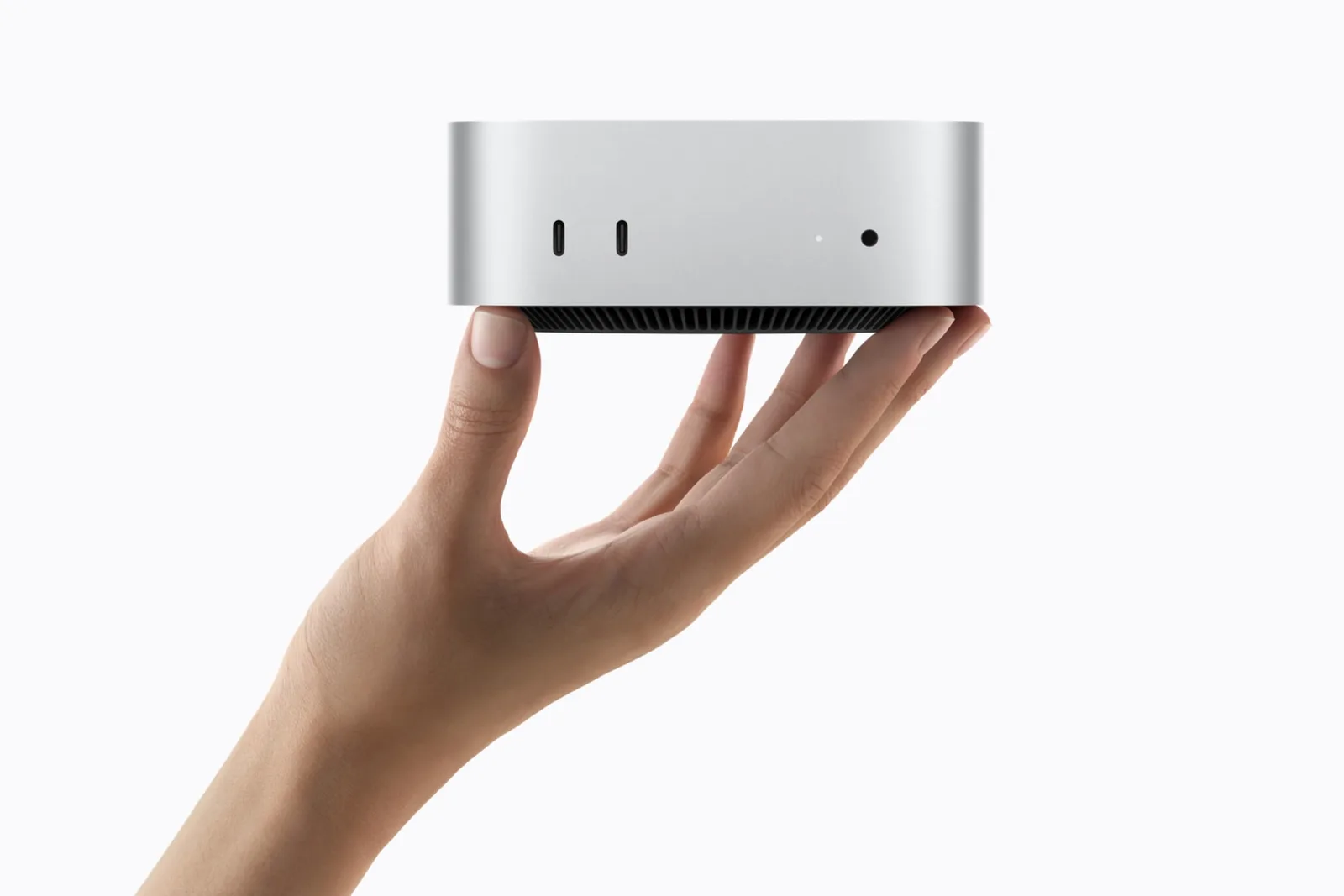
Apple Mac mini with M6 held in one hand

Photos: Apple

All retailers and the price history

We may earn commission from links on this page. This does not affect our editorial independence.

89%

of 9 reviews recommend it

See reviews
Best for
A home studio or DJ prep desk where the computer never moves.
Skip it if
You play out with it, or need Thunderbolt 5 or over 32 GB.

The Internet’s Opinion

From 9 professional reviews: a fair amount of evidence.

Reviewers agree the M6 makes the Mac mini a fast, small desktop that stays quiet in everyday use; the reservations are a starting price well above the M4 model's, costly memory and storage upgrades, Thunderbolt 4 rather than 5 and a power button underneath.

8 recommend1 mixed0 avoid

What people praise

  • Strong performance from the M6 chip for its size and price
  • Small, well-built design
  • Quiet in everyday use; reviewers rarely heard the fan
Show 3 more
  • Useful port selection
  • 2.5Gb Ethernet, Wi-Fi 7 and Bluetooth 6 as standard
  • Internal SSD about twice as fast as the M4 model's

What to know first

  • Starts well above the M4 model's price, so less of a bargain
  • Memory and storage upgrades are expensive
  • Power button on the underside
Show 3 more
  • Thunderbolt 4 only; Thunderbolt 5 needs the M5 Pro model
  • Fan clearly audible under a sustained full load
  • 256 GB of storage in the base model is small
See the 9 reviews behind this

Video reviews

  • Luke MianiSep 2026Recommends

    The M6 Mac mini is all the Mac you'll ever need

    The M6 Mac mini is all the Mac you'll ever need

    Luke MianiSep 2026Recommends

Plays from YouTube when you press play. Picked from the reviews counted above, including one that disagrees where there is one.

Prices

Before you buy

Released
September 2026 (announced 25 August, on sale 22 September)
Status
Current

Works with

  • Logic ProMeets requirements

    Logic Pro 13.0 needs a Mac with Apple silicon and macOS 26.1 or later; the M6 Mac mini meets both Manufacturer spec sheet (Apple (Logic Pro requirements)), checked 2026-11-05

  • Ableton Live 12Meets requirements

    Ableton lists macOS 11 Big Sur or higher, an Intel Core i5 or Apple silicon chip and 8 GB of memory; it recommends a Core Audio-compliant audio interface Manufacturer spec sheet (Ableton (Live trial and requirements)), checked 2026-11-05

  • FL StudioMeets requirements

    Image-Line lists macOS 10.15.7 or newer on Intel or Apple silicon, 4 GB of memory and 4 GB of disk, with 8 to 16 GB of memory recommended; macOS 27 is not named on the page Manufacturer spec sheet (Image-Line (FL Studio download)), checked 2026-11-05

  • rekordbox 7macOS 27 not listed

    rekordbox 7.2.19 asks for an Apple M1 or later chip and 16 GB of memory for Stems and Groove Circuit, which the M6 meets, but lists macOS 13 to 26 only; this Mac runs macOS 27, so check rekordbox's page before relying on it Manufacturer spec sheet (AlphaTheta (rekordbox download and requirements)), checked 2026-11-05

You’ll also need

  • A USB-C to USB-A adapter or hubFor USB-A cables

    Every port is USB-C or Thunderbolt, with no USB-A, so a controller or interface with a USB-A cable needs an adapter or hub Manufacturer spec sheet (Apple (Mac mini tech specs)), checked 2026-11-05

  • A display, keyboard and mouseNot in the box

    Apple ships the Mac mini with only its power cord Manufacturer spec sheet (Apple (Mac mini tech specs)), checked 2026-11-05

  • An audio interfaceFor monitors

    Ableton recommends a Core Audio-compliant audio interface; the Mac mini's own audio out is a front headphone jack, HDMI and a built-in speaker Manufacturer spec sheet (Ableton (Live trial and requirements)), checked 2026-11-05

Key specs

Chip
Apple M6: 12-core CPU (2 super, 4 performance and 6 efficiency cores), 12-core GPU, dual 16-core Neural Engine
Memory
16 GB unified memory as standard (24 GB on the top standard model), 24 GB or 32 GB to order; chosen when you order, and Apple lists no later upgrade; 153 GB/s bandwidth with 16 GB, 170 GB/s with 24 or 32 GB
Storage
256 GB or 512 GB SSD as standard, 512 GB, 1 TB or 2 TB to order
External displays
Up to three: two at up to 6K 60 Hz plus a third at up to 5K 60 Hz over Thunderbolt or 4K 60 Hz over HDMI; no built-in screen
Ports
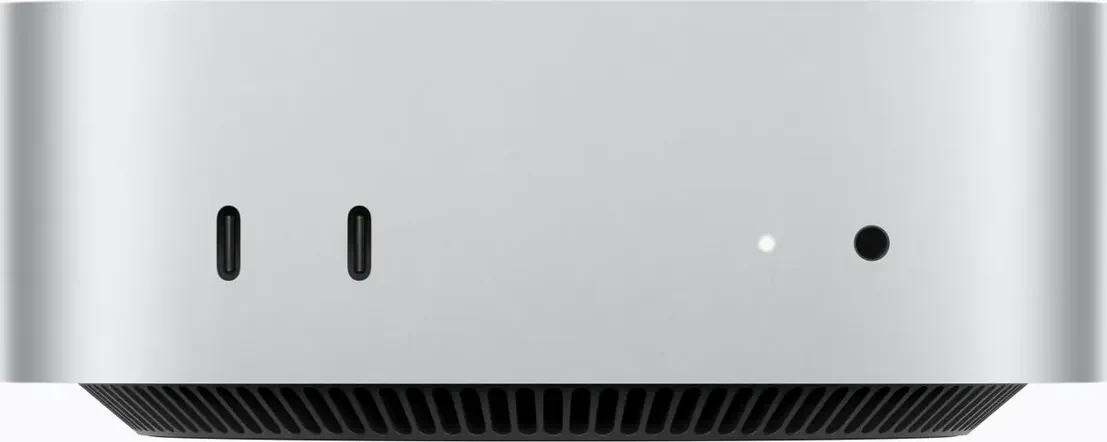
Front: two USB-C (USB 3, up to 10 Gb/s) and a 3.5 mm headphone jack. Back: three Thunderbolt 4 (USB-C, up to 40 Gb/s, USB 4), HDMI, 2.5 Gb Ethernet (10 Gb to order) and power. No USB-A
Headphone jack
3.5 mm on the front, with advanced support for high-impedance headphones
All 12 specifications
Wireless
Wi-Fi 7 (802.11be), Bluetooth 6 and Thread, on Apple's N1 chip
Fan noise at idle
5 dBA (typical)
Dimensions
12.7 × 12.7 × 5.0 cm (5.0 × 5.0 × 2.0 in)
Weight
0.67 kg (1.5 lb)
Operating system
macOS 27
Power
100–240 V AC mains through the power cord in the box; 155 W maximum continuous power

12 of 12 figures sourced; hover one for its source

Our take

Rory TassellWritten from the sources on this page, not from a loan unit.

Eight of nine professional reviews recommend it: the M6 chip is fast for the size and price, and five reviews say it stays quiet in everyday use, though two heard the fan under a long full load. The reservations are a starting price well above the M4 model's, costly memory and storage upgrades and Thunderbolt 4 rather than 5; no owner reviews were read. Buy it for a studio desk, with the memory you need chosen at order.

What it is

Status, November 2026: current. Apple sells the Mac mini with M6 alongside a model with the M5 Pro chip.

What it is

The Mac mini with M6 is Apple's smallest desktop, announced on 25 August 2026 and on sale from 22 September (Apple Newsroom). It is 12.7 cm square and 5 cm high, weighs 0.67 kg and comes with only a power cord, so the display, keyboard and mouse are extra. The M6 chip has a 12-core CPU and a 12-core GPU. Memory is 16 GB as standard, or 24 or 32 GB to order, and storage runs from 256 GB to 2 TB; both are chosen when you order (Apple specifications), and Production Expert notes the memory can't be upgraded later. The front has two USB-C ports at up to 10 Gb/s and a 3.5 mm headphone jack; the back has three Thunderbolt 4 ports, HDMI and 2.5 Gb Ethernet. There is no USB-A port, so a controller with a USB-A cable needs an adapter or hub. It runs macOS 27, which rekordbox's requirements page doesn't list yet.

Reviews repeat that it is quiet: Engadget never heard the fan noise it had noticed on the M4 Pro model, while Notebookcheck measured up to 41.7 dB(A) in a stress test and Macwelt heard the fan clearly during a long multi-core run. Four reviews dislike the power button underneath.