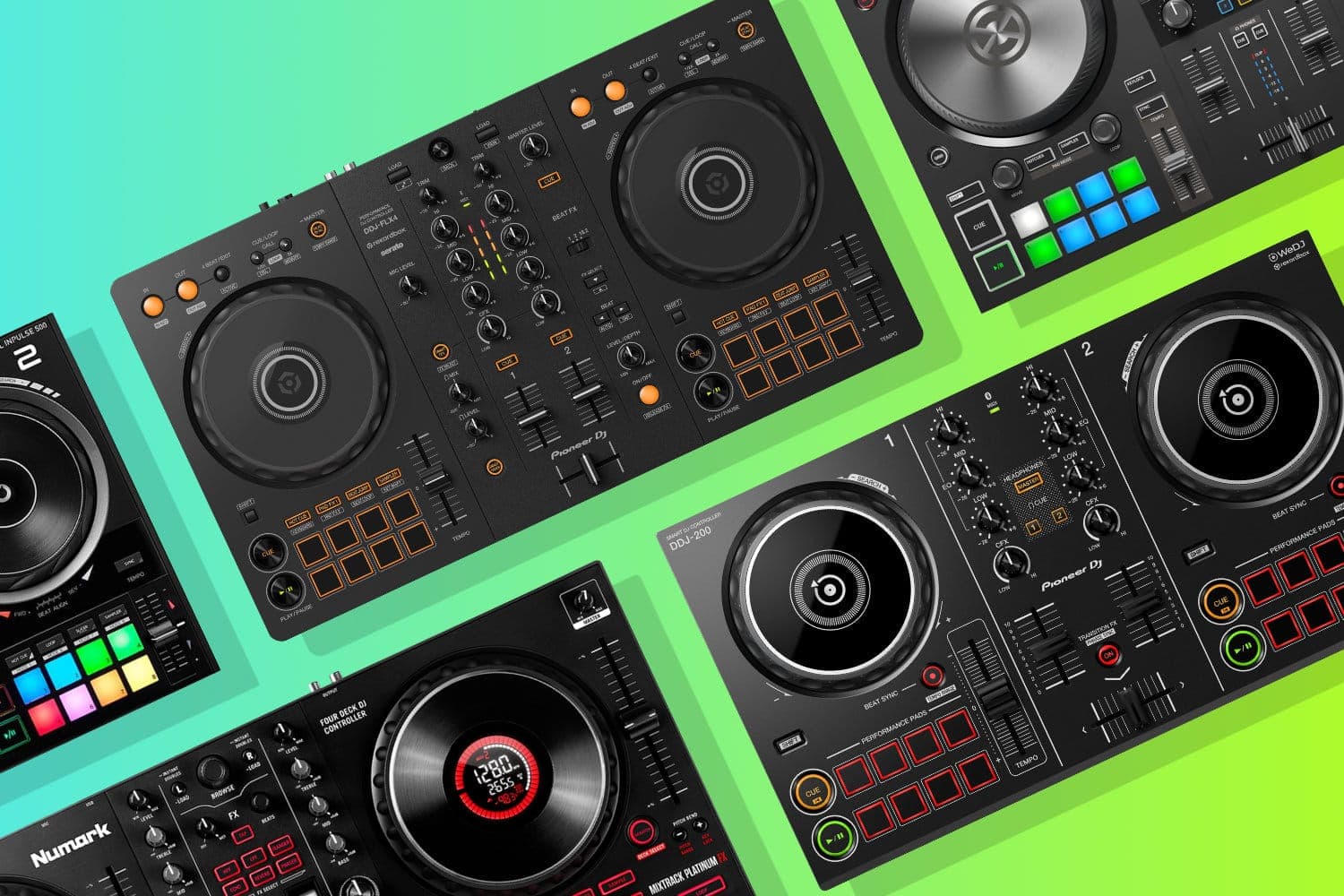
Every DJ started somewhere, and for most of us that somewhere was a budget controller plugged into a laptop. The good news: today's entry-level controllers are genuinely impressive. The bad news: there are dozens of options and they all claim to be "the best."
This guide cuts through the noise. We've tested each controller below and ranked them based on build quality, software integration, jog wheel feel, and how well they actually teach you to DJ — not just how many features they cram onto the faceplate.
What to Look For
Before diving into specific models, here are the factors that actually matter when choosing your first controller.
Software compatibility. Most beginner controllers ship with either Serato DJ Lite or rekordbox Free. Both are excellent, but they work differently. If you want to mirror the workflow used in most clubs worldwide, lean toward rekordbox. If you're into scratching or hip-hop, Serato is the industry standard.
Jog wheel size and feel. Bigger jog wheels are more forgiving for beatmatching and scratching. Compact controllers sacrifice wheel size for portability — that trade-off is worth understanding before you buy.
Built-in audio interface. Essential. This lets you preview the next track in your headphones while the audience hears the current one. Most controllers in this guide include one, but the cheapest options sometimes skip it.
Room to grow. Some controllers support software upgrades (Serato Lite → Pro, for example) or 4-deck switching, which means you won't outgrow them as quickly.
1. Pioneer DJ DDJ-FLX4
Editor's Choice
| Feature | Detail |
|---|---|
| Club-Style Layout | Yes |
| Software | rekordbox, Serato DJ Lite |
| Channels | 2 |
| Jog Wheels | Yes |
| Bluetooth | Yes |
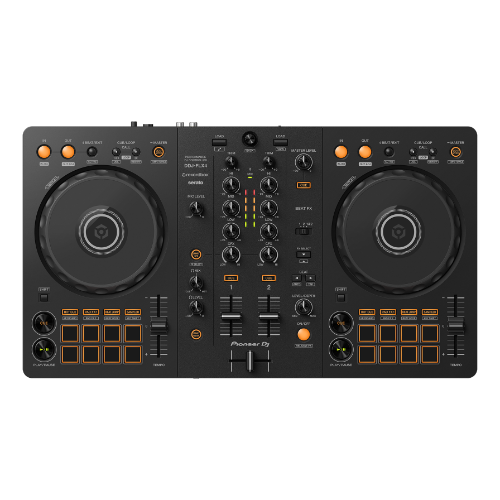
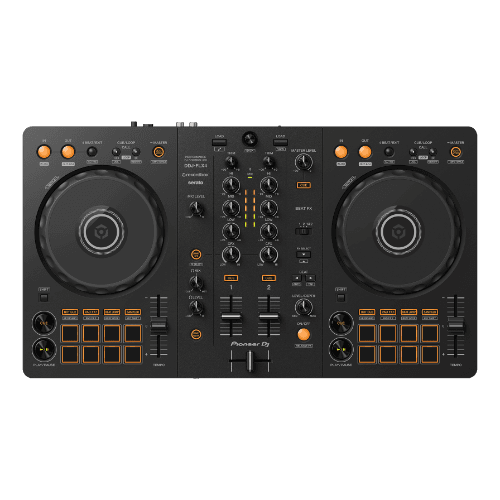
The Pioneer DJ DDJ-FLX4 is the controller we recommend to most beginners, and for good reason. Its layout mirrors the channel strips and jog wheel placement of Pioneer's professional club gear, which means the muscle memory you build here transfers directly when you step up to a CDJ setup.
It ships with both rekordbox and Serato DJ Lite compatibility, so you're not locked into one ecosystem. Bluetooth connectivity lets you stream from a phone for casual sessions, though you'll want the laptop connected for anything serious. The jog wheels feel solid for the price and the mixer section is clean and uncluttered — exactly what a new DJ needs.
If you're serious about DJing and want a controller that won't hold you back as you improve, the FLX4 is the one to get.
Pioneer DJ DDJ-FLX4
A capable beginner controller that builds on everything the DDJ-400 got right.
2. Hercules DJControl Inpulse 300 MK2
Best for Learning
| Feature | Detail |
|---|---|
| Software | DJUCED (with tutorials) |
| Channels | 2 |
| Light Guides | Yes |
| Performance Pads | 8 |
| Audio Interface | Built-in |
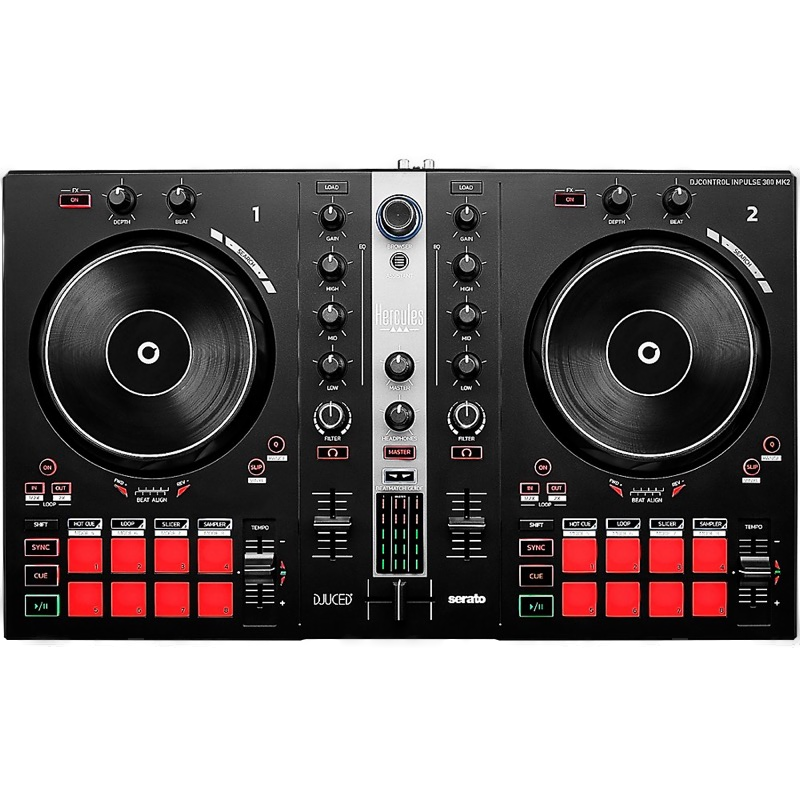
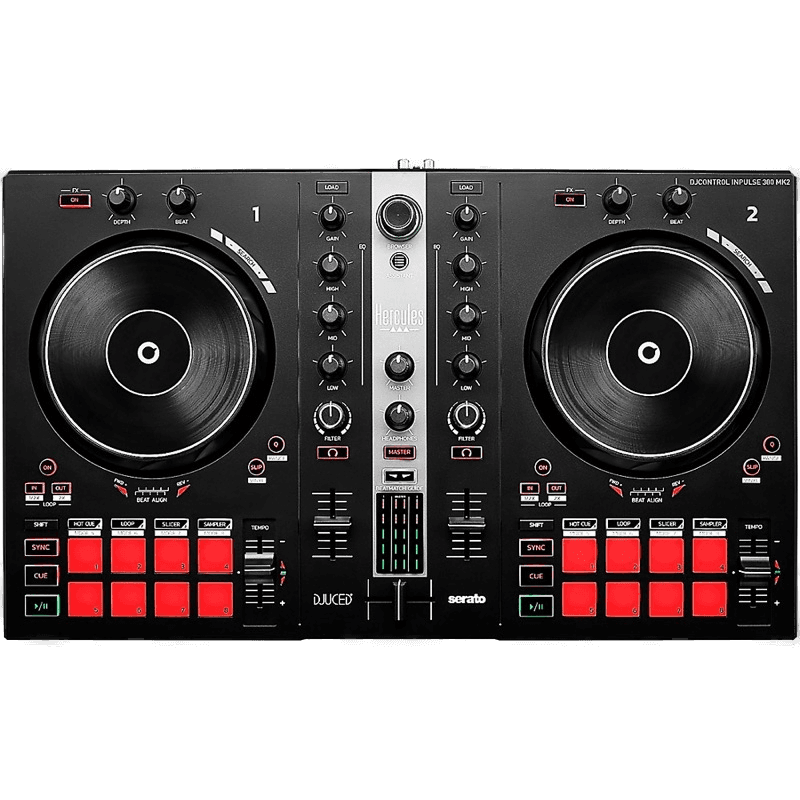
The Hercules DJControl Inpulse 300 MK2 is purpose-built for people who have never touched DJ gear before. Its standout feature is the integrated light guides — LEDs on the jog wheels that visually show you when to mix, helping you learn beatmatching by sight before you develop the ear for it.
The bundled DJUCED software includes a DJ Academy with step-by-step tutorials that walk you through basic transitions, EQ mixing, and effects. It's the closest thing to having a teacher sitting next to you. The build quality is respectable for the price, and the layout is intuitive without being oversimplified.
Where it falls short is longevity. Once you've learned the basics, you'll likely want to move to Serato or rekordbox, and the Inpulse's DJUCED-focused design makes that transition a little less seamless than with Pioneer or Numark gear.
Hercules DJControl Inpulse 300 MK2
Purpose-built for absolute beginners — LED beat guides and DJ Academy make learning intuitive.
3. Numark Mixtrack Platinum FX
Best for Scratching
| Feature | Detail |
|---|---|
| Jog Wheels | Large, touch-sensitive with displays |
| Performance Pads | 16 |
| 4-Deck Mixing | Yes |
| Microphone Input | Yes |
| Software | Serato DJ Lite (upgradable to Pro) |
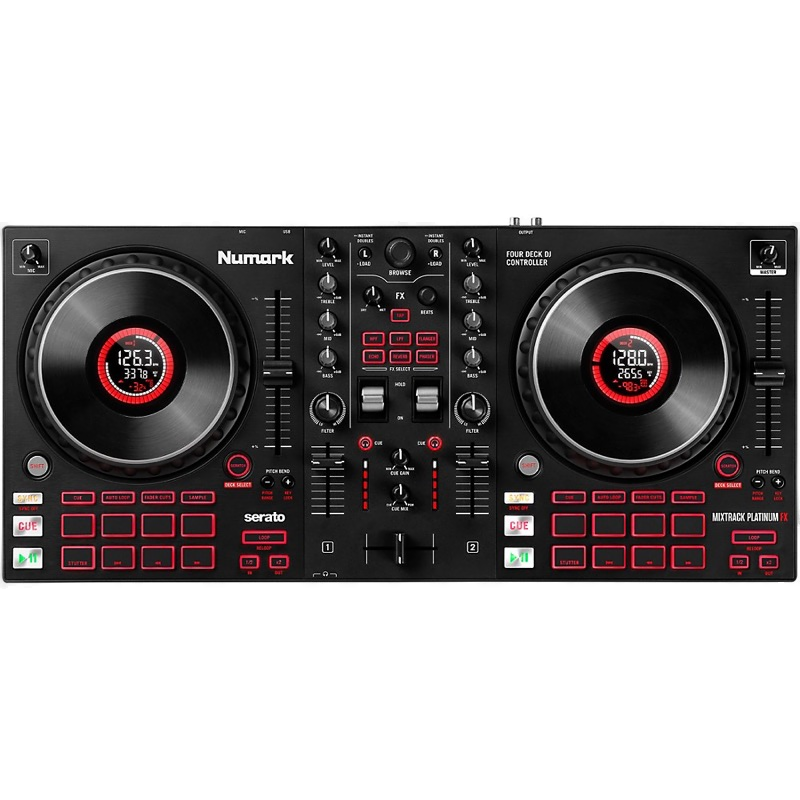
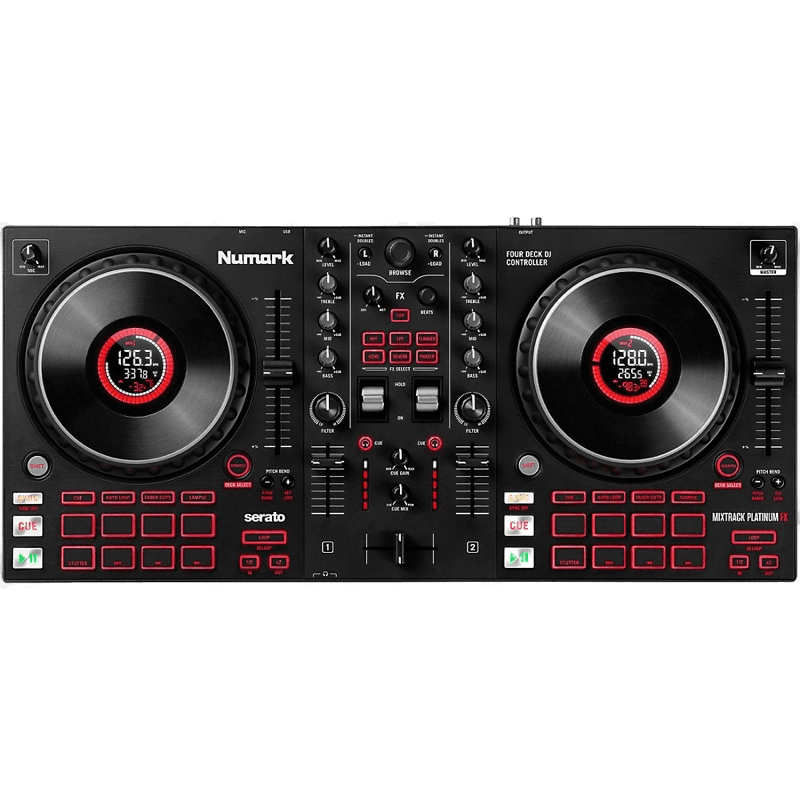
The Numark Mixtrack Platinum FX has the largest jog wheels in this price bracket, and they're touch-sensitive with built-in displays — a feature you'd normally pay significantly more for. If you want to learn basic scratch techniques on a controller, this is the one to pick.
The 16 performance pads give you plenty of room to work with hot cues, loops, and samples. Four-deck switching means you can layer tracks as your skills progress, and Serato DJ Lite handles the software side capably with an upgrade path to Pro.
The trade-off is build quality — the chassis is plastic and feels lighter than the FLX4. For bedroom practice and house parties that's fine, but it won't survive years of heavy gigging.
Numark Mixtrack Platinum FX
Category-busting performance with LCD jog wheels and full-sized pitch faders — a beginner scratcher's dream.
4. Reloop Ready
Best Value
| Feature | Detail |
|---|---|
| Portable Design | Yes |
| Software | Serato DJ Lite (upgradable to Pro) |
| Channels | 2 |
| Performance Pads | 16 RGB |
| Audio Interface | Built-in |
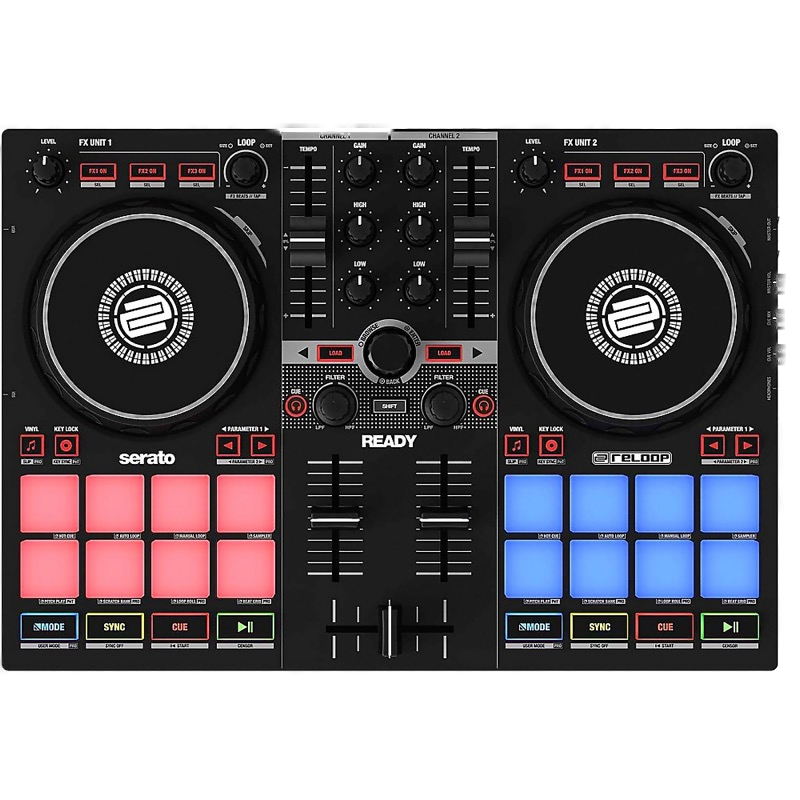
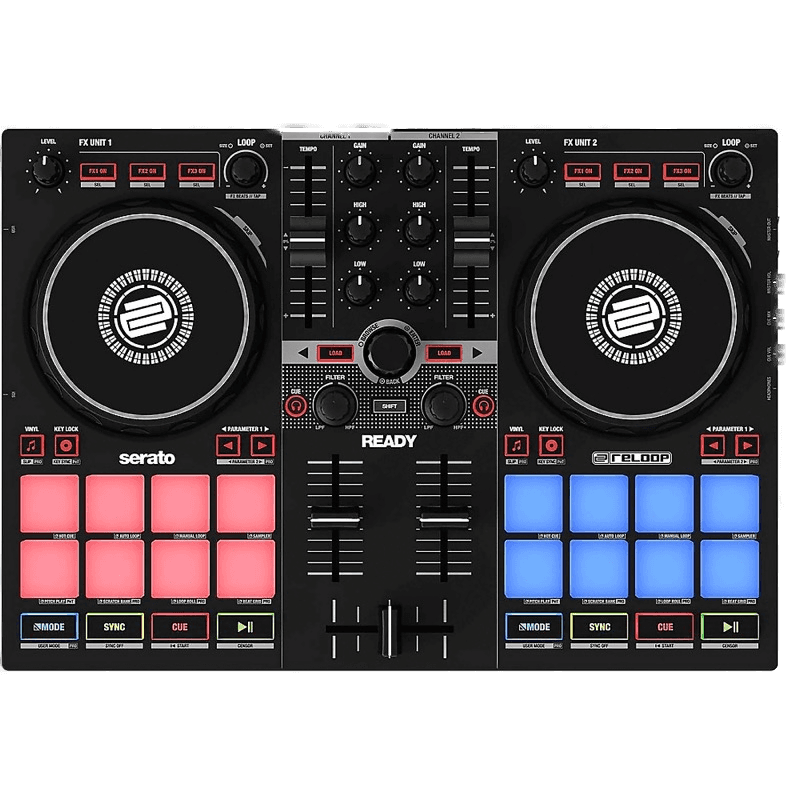
The Reloop Ready delivers more than its price tag suggests. It packs a built-in audio interface, 16 RGB performance pads, and Serato DJ Lite compatibility into a compact, affordable package that undercuts most of the competition.
The jog wheels are smaller than the Numark or Pioneer options, which means scratching is less comfortable, but for standard mixing — beatmatching, EQ blending, using loops and cues — they're perfectly adequate. The compact form factor also makes it easy to toss in a bag and take to a friend's place.
If you're not sure DJing is for you yet and don't want to spend £250+ to find out, the Ready is the smartest entry point.
Reloop Ready
Ultra-compact Serato controller with full pad layout — fun but lacks standout innovation.
5. Roland DJ-202
Most Versatile
| Feature | Detail |
|---|---|
| Built-in Drum Machine | TR-808, TR-909, TR-606 |
| Software | Serato DJ Lite (upgradable to Pro) |
| Channels | 2 |
| Jog Wheels | Yes |
| Audio Interface | Built-in |
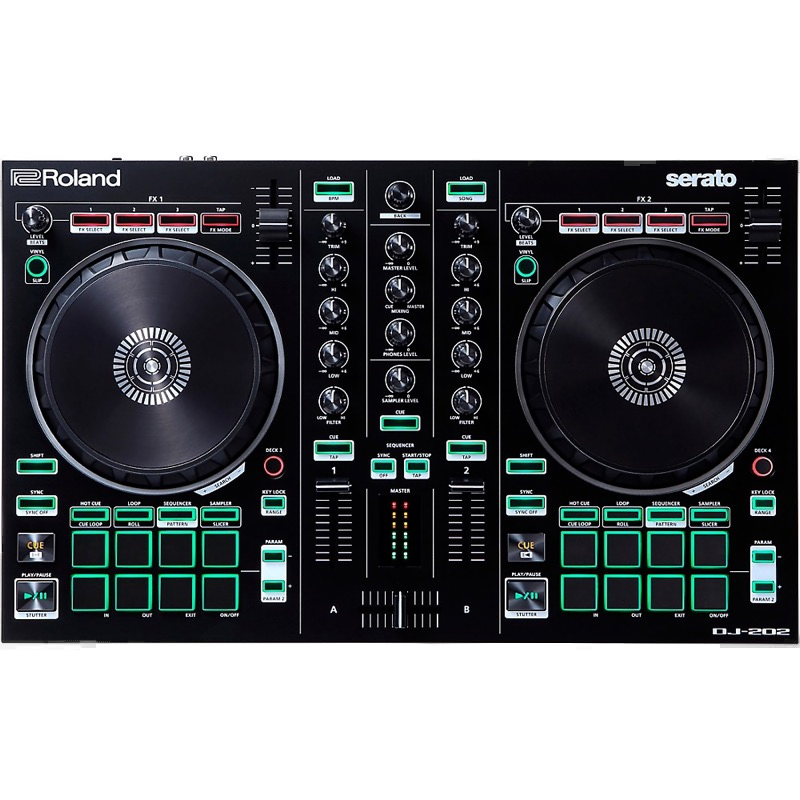
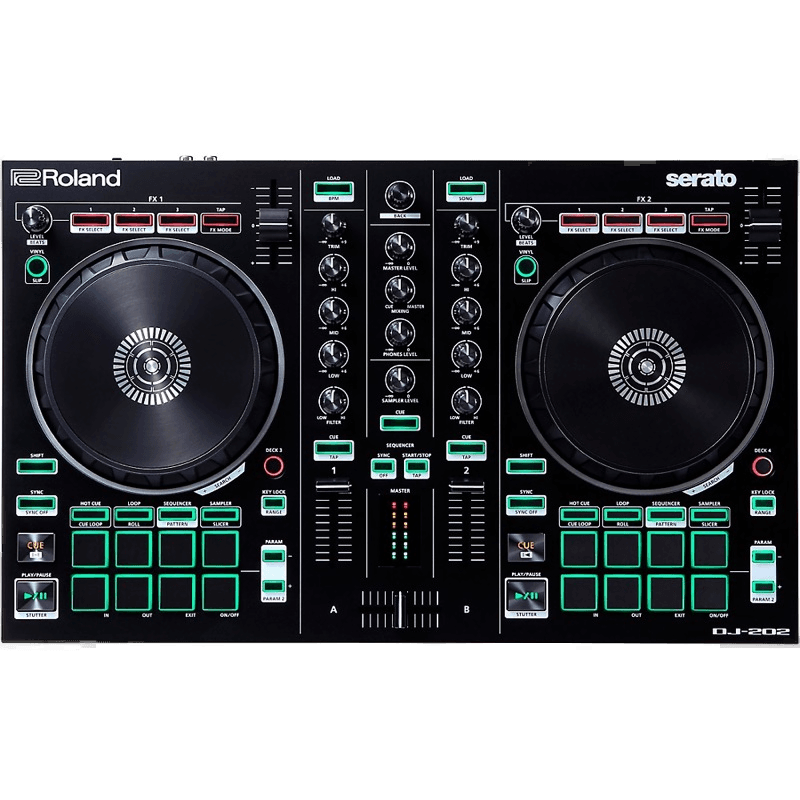
The Roland DJ-202 is unlike anything else in this guide. Built-in TR-808, TR-909, and TR-606 drum machines let you layer classic drum patterns over your mixes in real time — a creative tool you won't find on any other controller at this price.
As a straight DJ controller it holds its own too, with solid jog wheels, Serato DJ Lite integration, and a clean two-channel layout. But the drum machines are the reason to buy it. If you're into electronic music production or want to add live percussion elements to your sets, the DJ-202 opens creative doors that other beginner controllers simply can't.
The downside is that the drum machine features do add complexity. If you just want to learn to mix, simpler options like the FLX4 will get you there faster.
Roland DJ-202
Built-in TR drum machines set it apart — creative potential is huge, but execution is uneven.
6. Reloop Buddy
Best for Mobile
| Feature | Detail |
|---|---|
| Mobile Integration | iOS / Android |
| Software | Algoriddim djay |
| Channels | 2 |
| Jog Wheels | Compact |
| Audio Interface | Built-in |
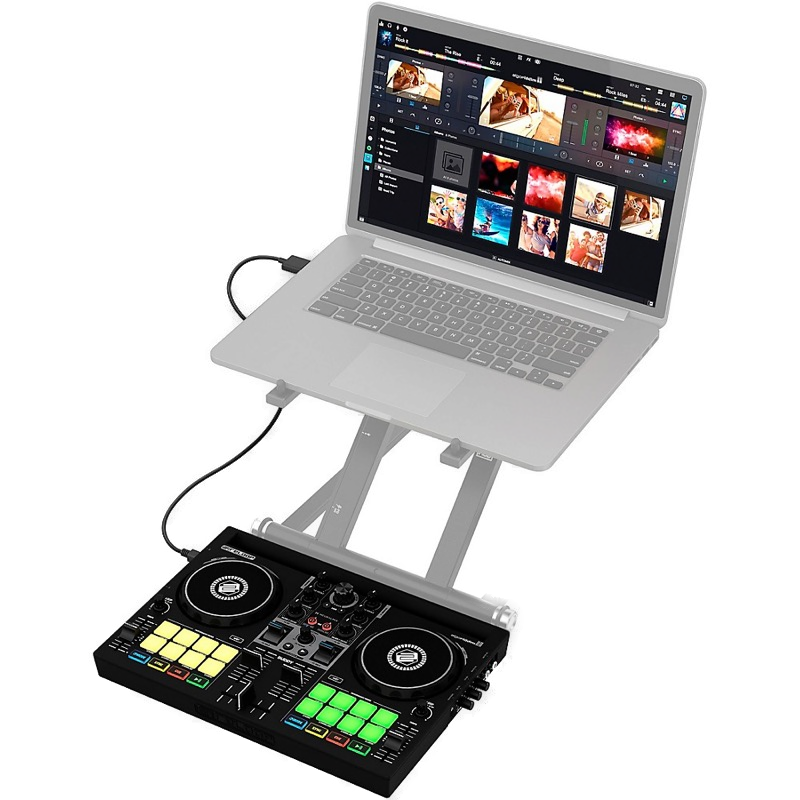
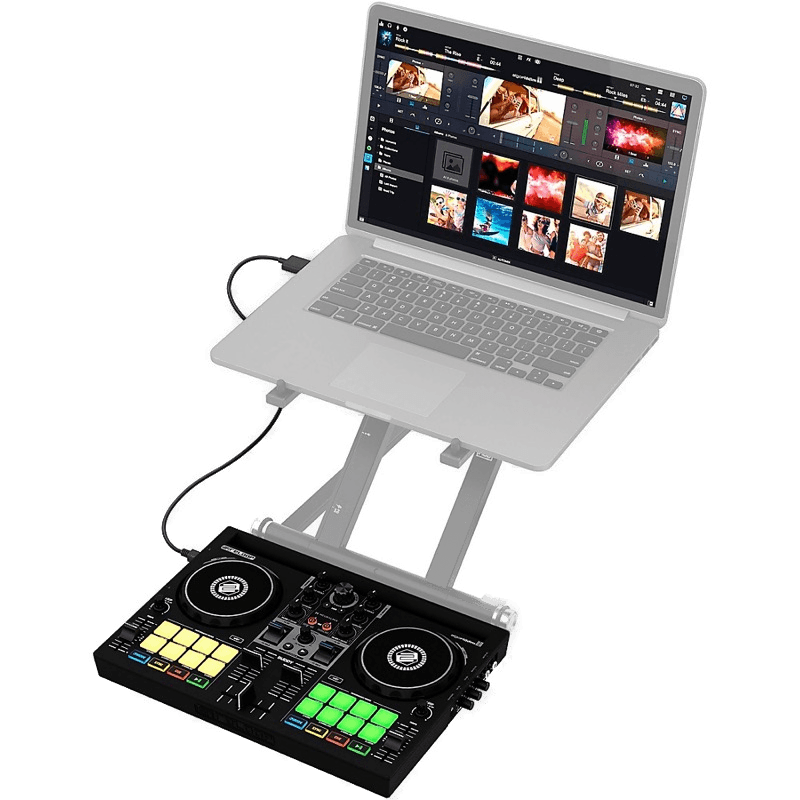
The Reloop Buddy is built for DJs who want to mix from their phone or tablet. It integrates directly with Algoriddim djay on iOS and Android, so you can leave the laptop at home entirely — plug in, connect your phone, and you're mixing.
The compact form factor is genuinely pocket-friendly. Controls are scaled down but still functional: you get jog wheels, a crossfader, EQ knobs, and performance pads. It's the ideal controller for impromptu sessions — beach parties, barbecues, pre-drinks at a mate's flat.
The limitation is obvious: it's small. The tiny jog wheels make scratching impractical, and the faders have less travel than full-size units. Think of it as a mobile DJ tool rather than a long-term practice controller.
Reloop Buddy
The ultimate mobile DJ companion — Neural Mix AI and iPad integration in a pocket-sized package.
7. Pioneer DJ DDJ-200
Most Portable
| Feature | Detail |
|---|---|
| Bluetooth | Yes |
| Software | WeDJ, djay, edjing Mix, rekordbox |
| Channels | 2 |
| Jog Wheels | Compact |
| USB Bus Powered | Yes |
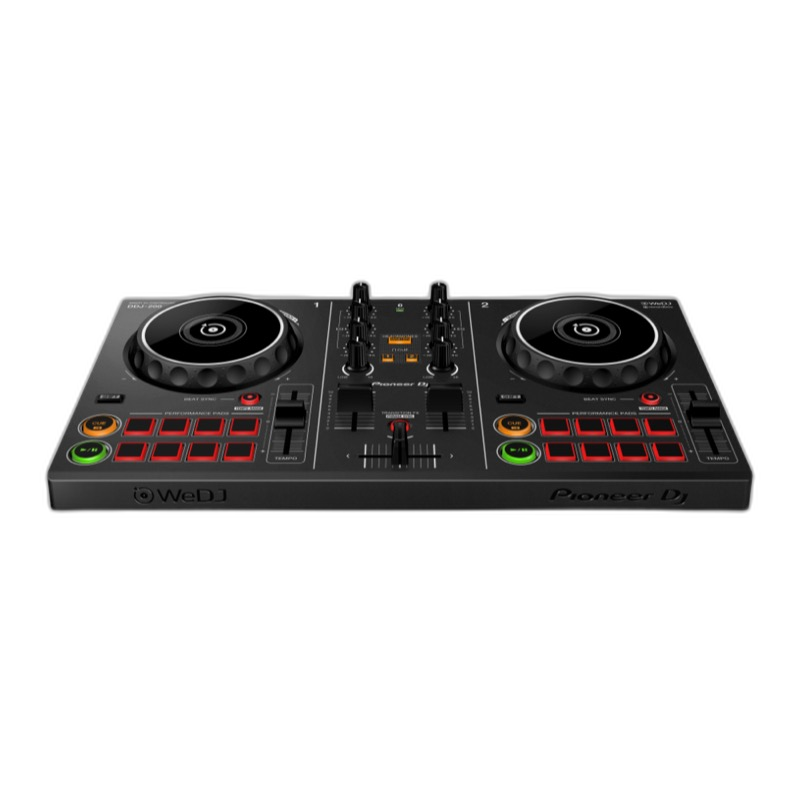
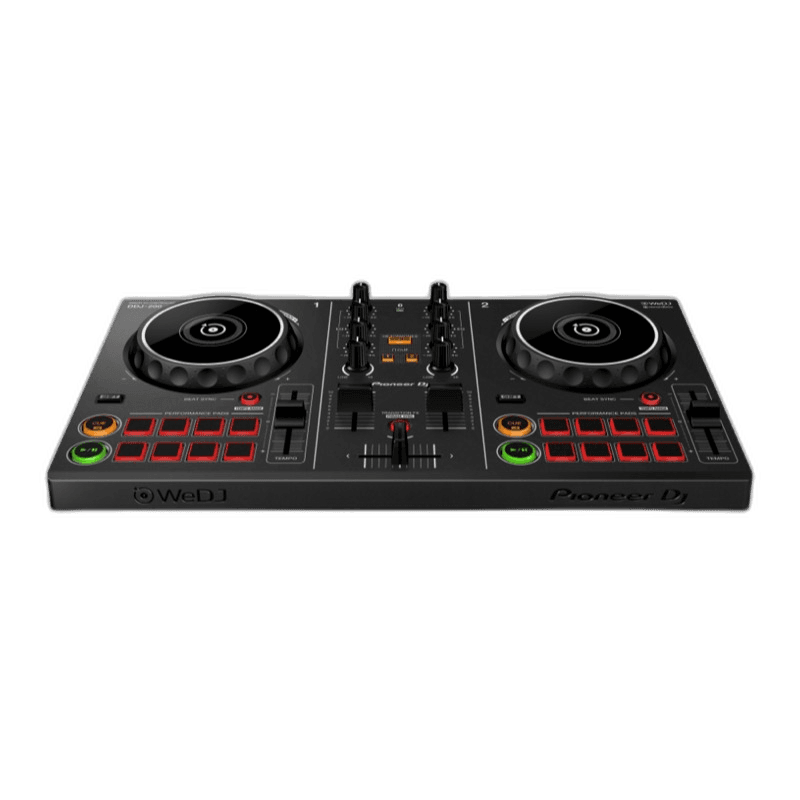
The Pioneer DJ DDJ-200 is the lightest controller in this guide and one of the most versatile in terms of software support — it works with WeDJ, djay, edjing Mix, and rekordbox. Bluetooth connectivity means you can mix wirelessly from a phone or tablet.
The trade-off for that portability is significant: there's no built-in audio interface. You'll need a split cable or separate audio device to cue tracks in headphones, which adds friction to the setup. The jog wheels are small and the overall feel is lightweight plastic.
It's best suited for casual, on-the-go mixing rather than serious practice. If portability is your top priority and you don't mind the audio interface limitation, it's a fun, affordable way to start. But for dedicated learning, spend a little more on the FLX4 or Inpulse 300 MK2.
Pioneer DJ DDJ-200
Compact, affordable, and smartphone-friendly — the easiest way to start DJing.
Other Controllers Worth Considering
If none of the seven above fit your specific needs, two other beginner controllers are worth a look:
Native Instruments Traktor Kontrol S2 — ships with a full Traktor Pro licence, which is arguably the most beginner-friendly DJ software available. The interface is clean, the included effects are excellent, and the two-channel layout keeps things simple. It's a solid pick if you already know you want to use Traktor, though its tighter integration with NI's ecosystem means less flexibility if you want to switch software later.
Numark Mixtrack Pro FX — similar to the Mixtrack Platinum FX but with a dedicated effects section that's great for learning how FX chains work. Large jog wheels, 16 performance pads, and Serato DJ Lite compatibility. A good alternative if the Platinum FX is out of stock or you find it at a better price.
FAQs
Do I need a laptop to use a DJ controller?
Yes — a standard DJ controller requires a laptop or desktop running DJ software like Serato, rekordbox, or Traktor. The controller itself has no built-in music library or processing. If you want to DJ without a laptop, you need a standalone (all-in-one) unit, which costs significantly more.
What DJ software should a beginner use?
Most beginner controllers ship with a free version of either Serato DJ Lite or rekordbox. Both are excellent starting points. Serato is widely used by scratch and hip-hop DJs, while rekordbox mirrors the workflow of Pioneer DJ club gear. Hercules controllers come with DJUCED, which has built-in tutorials for complete newcomers.
How much should I spend on my first DJ controller?
A solid beginner controller costs between $150 and $300. Below $150 you start losing essential features like a built-in audio interface. Above $300 you're into mid-range territory with features most beginners won't use yet. The sweet spot for most new DJs is around $200–250.
What is the difference between a DJ controller and a standalone unit?
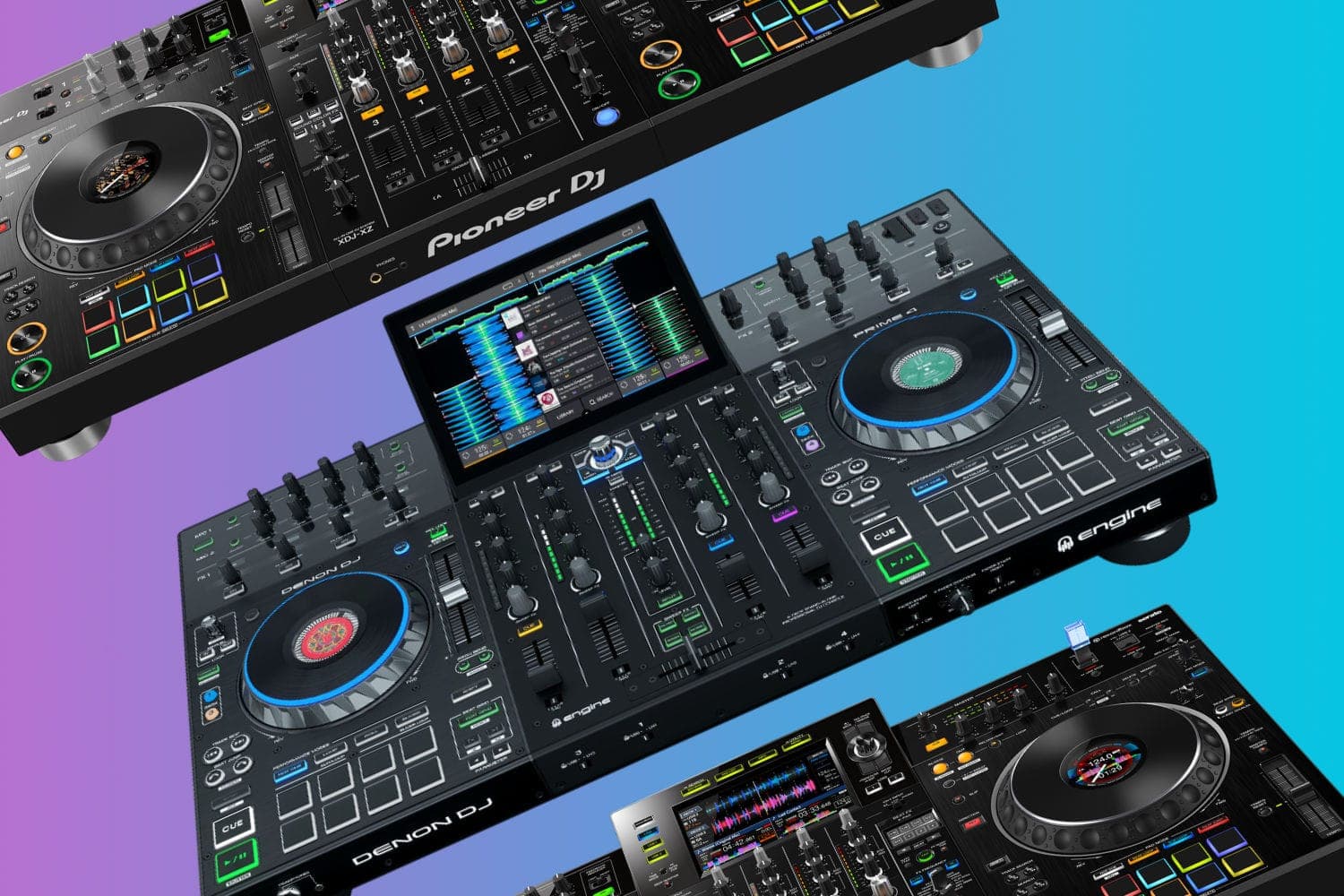
A DJ controller connects to a laptop and relies on software for playback and effects. A standalone (all-in-one) unit has its own screen, storage, and processing — no laptop needed. Standalones cost significantly more (typically $1,000+) and are aimed at working DJs rather than beginners.
Can I learn to scratch on a DJ controller?
Yes, though the experience depends on jog wheel size and quality. Controllers like the Numark Mixtrack Platinum FX have larger, touch-sensitive jog wheels that are suitable for learning basic scratch techniques. For serious scratching, most DJs eventually move to vinyl turntables or a battle controller like the Rane One.
Will I outgrow a beginner controller quickly?
It depends on how often you practise and how ambitious your goals are. Most beginners get 1–2 years out of their first controller before wanting to upgrade. Choosing a controller with room to grow — like one that supports a paid software upgrade or has 4-deck capability — can extend that lifespan.
Verdict
The Pioneer DJ DDJ-FLX4 is the best beginner DJ controller for most people. Its club-style layout builds transferable skills, dual-software compatibility gives you flexibility, and the build quality is a step above the competition at this price. If you're only going to read one recommendation from this guide, that's the one.
For complete beginners who want hand-holding, the Hercules DJControl Inpulse 300 MK2 and its built-in tutorials are hard to beat. For scratching, the Numark Mixtrack Platinum FX has the best jog wheels in the budget range. And if you're on a tight budget, the Reloop Ready proves you don't need to spend a fortune to start DJing properly.
Complete Your DJ Setup
Once you've picked your first controller, you'll want a couple of essentials to go with it:
- Best DJ headphones — you can't beatmatch properly without a decent pair.
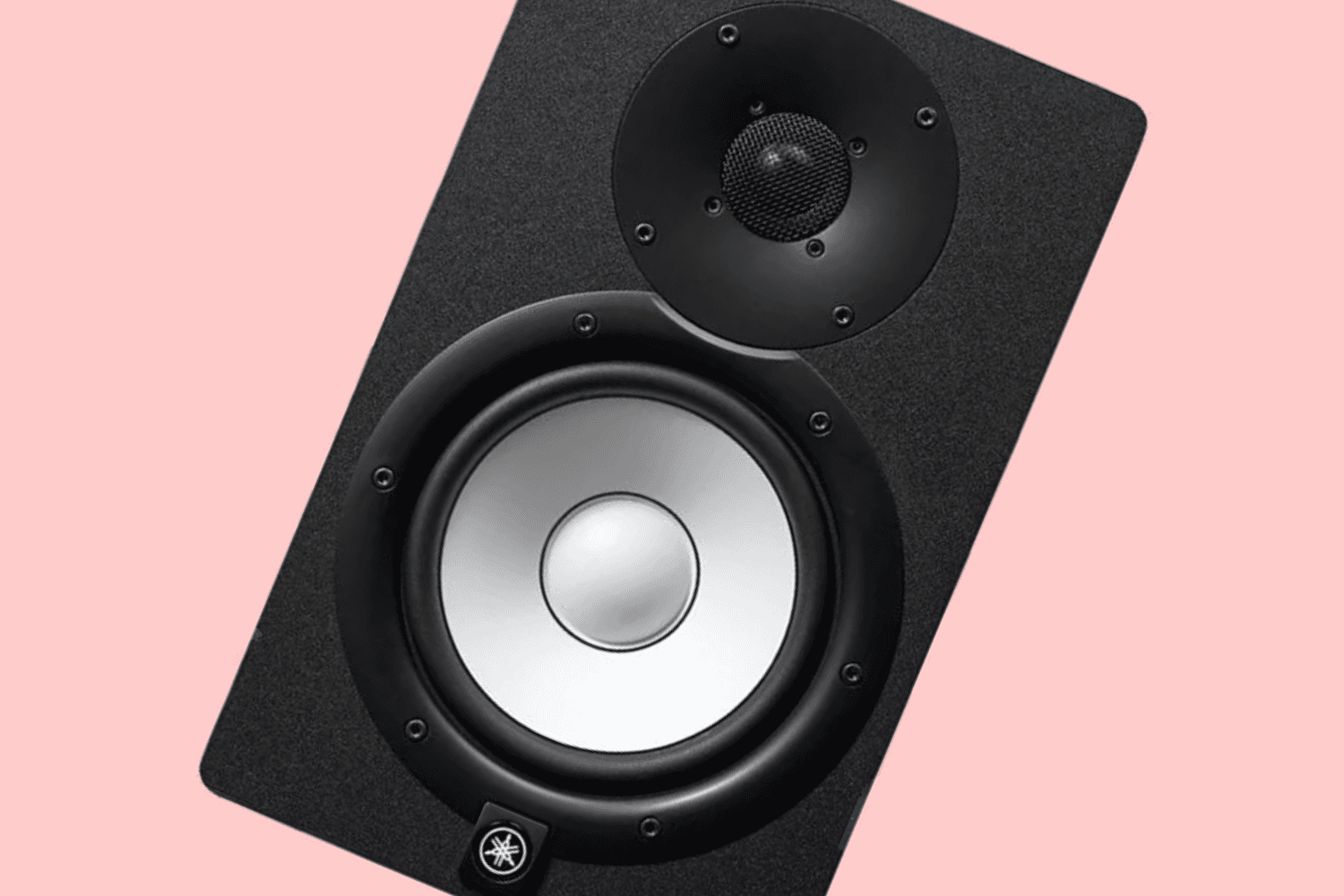
- Best DJ speakers — affordable studio monitors so you can hear what you're mixing at home.
- Best USB sticks for DJing — cheap, and the first thing you'll need when a friend lets you play on their CDJs.
Ready to see every option? Our full best DJ controllers guide covers picks for every budget and skill level. If you'd rather never open a laptop, the best standalone DJ controllers guide covers the all-in-one route.