As a professional DJ, you’ll be faced with a lot of decisions to make.
It’s up to you to determine which DJ hardware you want to use to mix your tracks, and what kind of resources you want to use to access unique sounds. One of the most important initial choices you’ll need to make involves deciding what kind of DJ software you should use.
There are tons of options out there, ranging all the way from Serato and Rekordbox, to Virtual DJ – the software we’re going to experiment with today.
https://www.youtube.com/watch?v=YVNKhVNfo\_M
What is Virtual DJ?
Virtual DJ is one of the best-known pieces of DJ software in the world. With millions of downloads worldwide, this DJ solution is brimming with features and functionalities that help to enhance your performance and mixing abilities. Since its creation, Virtual DJ has gone through a multitude of upgrades and enhancements, with new versions regularly rolling out to help creators stay ahead of the curve.
Here’s some quick links to get you started with Virtual DJ:
- Introduction
- Key Features
- Hardware Support
- User Interface
- Library Support
- Video and Audio Mixing
- Video Graphics
- Karaoke Options
- Sampler and Performance Pads
- Real-time Stems Separation
- Stem EQ Modes
- Multi-deck Standalone DJ Mixer
- Vinyl and Turntable Performance
- Sound Quality
- Pros and Cons
- Final Thoughts
Virtual DJ Introduction
What makes Virtual DJ so appealing to many professionals, is how user-friendly it is. You can use the basic features of Virtual DJ at home for free, which is excellent if you’re just beginning to discover your skills and interests for the first time. As your DJ skills progress, you can also further customize your experience with third-party extension, customizations, and new compatible hardware.
Although Virtual DJ can appeal to a wide variety of professionals, it’s often most sought-after by beginners or even the younger DJ generations coming through. The technology automates a lot of the initial setup and boring work of becoming a DJ. This means that beginners can focus more on discovering new skills and unlocking abilities. Features of the latest Virtual DJ 2021 software include:
- ModernEQs with accurate separation of frequencies for amazing transitions
- Stem pads to create live mashups and remixes in real-time
- Instant acapella and instrumental features
- On-the-fly real-time mashups with connections between beats, and vocals
- Plenty of customizations to fine-tune the way you mix
- Powerful performance with a user-friendly interface
- Standalone mixing with just your computer
- Video and audio mixing
- Library management
- Effects and samples
- Extensive hardware support
Key Features Of Virtual DJ
Though some people find Virtual DJ to be a little simplistic for their needs in some areas, this technology has been at the top of the list for around 20 years. With more than 100 million downloads worldwide, Virtual DJ is the most popular music-mixing platform on the planet. Most professionals are familiar with this service and will have used the tech for themselves at one point.
World-renowned, Virtual DJ has earned positive attention from creators and the media alike for its sensational performance and wide range of features. It’s also worth noting that Virtual DJ has some of the lowest crash ratios in the industry, so you don’t have to worry about your entire mix freezing when you start experimenting with different sounds.
Hardware Support
What is Virtual DJ’s accessibility to DJ hardware like then?
One of the most important things any creator will need to consider when using DJ software, is whether the solution will be compatible with their DJ controller, and other pieces of equipment. Aside from some pieces of equipment that use specific proprietary formats, Virtual DJ will usually be accessible with virtually every DJ hardware you can think of.
The Denon Prime 4 is a great controller for Virtual DJ.
According to the Virtual DJ team, this software supports more hardware and DJ controllers than any other software solution. The system also comes with plug-and-play support for more than 300 controllers, giving you ultimate control over every mixing experience. Detection and setup is also automatic, with a powerful built-in mapper for customization.
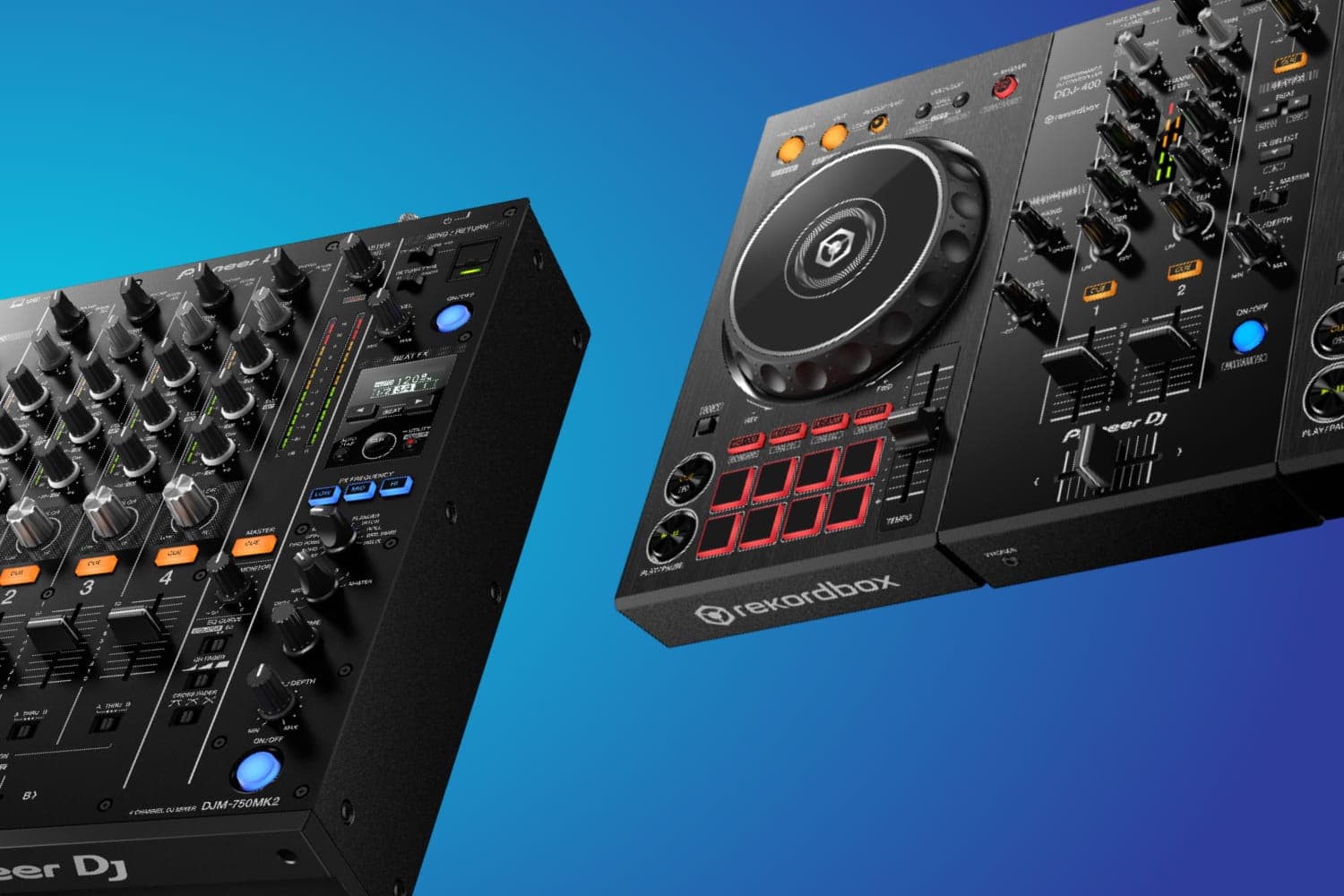
As mentioned above, one of the most valuable aspects of Virtual DJ is that you can play with all kinds of hardware, including controllers from Reloop, Pioneer, and many others. Unfortunately, there aren’t any dedicated controllers just for virtual DJ.
User Interface
Credit: Virtual DJ
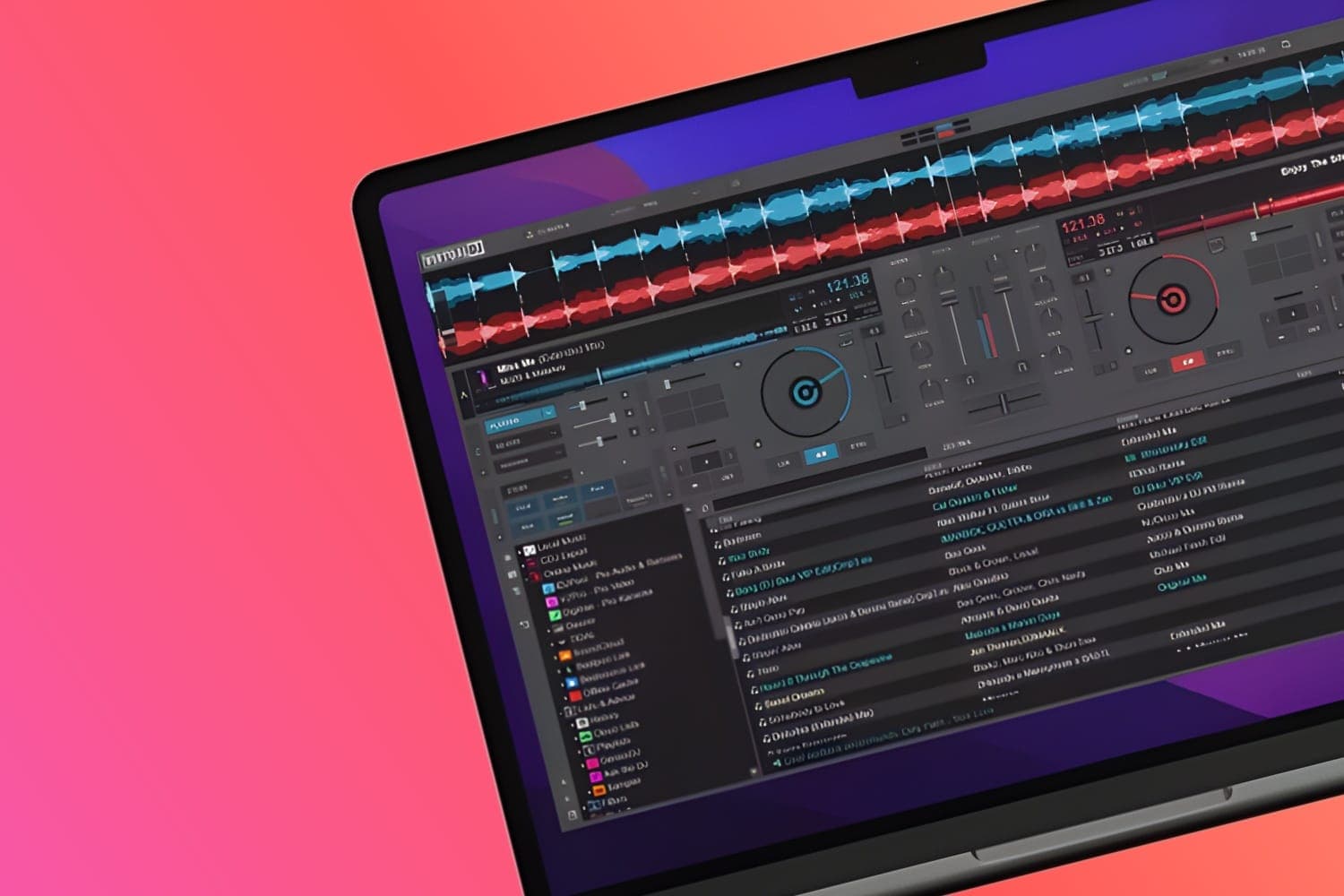
As noted above, Virtual DJ is perfect for all kinds of mixing needs, but what is Virtual DJ user interface like to use? Well, it is particularly good for beginners. That’s because this technology is so easy to use. You don’t even need a controller to start experimenting with the functionality. The standalone software will allow you to explore playlists and sounds with ease, just using your computer.
Unlike other DJ software solutions like Serato which feature a “closed interface” designed specifically for professionals, Virtual DJ is more open and customizable. With Virtual DJ, you also get the added benefit of some of the most reliable software in the landscape, optimized for constantly reliable and crash-resistant performance, with plenty of professional testing.
A more recent feature of the user interface is the shapes waveform display mode. This shows the track audio split into 3 sections, so you can see the waveform information for beats, instruments, and vocals. The difference is that Virtual DJ dynamically shades those waveform sections as you adjust their levels with stem separation controls.
Library Support
Credit: Virtual DJ
Aside from giving you access to a comprehensive library of music and video options, Virtual DJ also provides a good way to manage your music, through smart folders and playlists. There are tons of filtering options so you can find the songs that you need in seconds. Intuitive playlist creation is great for DJs that want to make their own set-lists, and you can even access track history.
For those who want to be on the cutting edge, cloud lists and charts ensure that you’re never going to fall behind the trends.
Video and Audio Mixing
Credit: Virtual DJ
Virtual DJ is versatile enough to support a wide selection of video, audio, and karaoke formats. This means that professionals create all kinds of unique entertainment experiences with visuals and music. There’s also a library management system included, so you can keep all your content and resources organised in a convenient location. You even get AI suggestions to help you find the tracks you need.
Speaking of sourcing content, Virtual DJ allows users to stream tracks from various partner catalogs through their Virtual DJ software. You can play anything from millions of songs, discover new tracks from tailor-made charts, and even create your own playlists from a range of genres. You also have access to all the best remixes and versions of music designed specifically for DJs.
Support for karaoke and music videos are also included, and you can link in more generalist catalogs such as Sound Cloud or Deezer too. The video mixing functionality works alongside all the leading formats for high-resolution video, including a range of video effects like camera support, screen grabbing overlays, and more.
Video Graphics
Adding video skins is a great way to add visuals to your mixes
Aside from video mixing solutions, users will also have access to a display of beautiful graphics on screen with built-in video skins for use on all kinds of projectors and walls. You can show what you’re doing with your mix, so it’s easy to engage the audience in the experience. You can show things like loops, cues and effects, and even create exciting beat tunnels.
Dedicated graphics are also available for video broadcasting purposes, and you can brand your own video skins if you want to create a unique image for yourself.
Karaoke Options
Although this might not be a crucial feature for all DJs, it’s possible to create a karaoke playback section which includes on-screen lyrics. You can play karaoke songs for each deck or engage the Karaoke engine that allows you to add song key, venue, and singer name. Automatically saved for quicker access in the future. You can show background graphics between songs too and showcase the next singer to take the stage. This service further integrates with the Virtual DJ catalog.
Sampler and Performance Pads
What is Virtual DJ’s sampler & performance tech like, does it cut the mustard? The Virtual DJ technology comes with a powerful sampler including unlimited sample slots and banks that can also be organized and groups with colors, icons, and various playback modes. Supporting audio and video samples as well as images for on-screen display, Virtual DJ comes with everything you need to explore a range of functionality options, and you can even add your own extensions and stock samples.
You can up your performance with the performance pads, unleashing creativity with an almost unlimited number of pad options, including loop rolls, scratch pads, and slicer rolls, among other things. There’s an extension for custom pads available too.
Real-time Stems Separation
Credit: Virtual DJ
A feature recently introduced as part of the most recent update to Virtual DJ 2021, the real-time stems separation solution uses the technology of your computer to easily separate songs during your mix in real-time. You can adjust components of your tracks, such as hi hats, instruments, vocals, and kicks in real-time to create new transitions and mashups.
Access to real-time stems separation opens the doors to new kinds of mixing that DJs simply couldn’t have accessed before. This is an excellent example of how Virtual DJ continues to innovate, in spite of its position as a strong contender for beginner-level mixing.
Virtual DJ’s stem separation functionality ensures you can access instant acapella and instrumental information on any song, as well as new ways of remixing and mixing songs with seamless transitions.
Stem EQ Modes
An exciting part of the industry-leading feature set from Virtual DJ is the ability to access a full set of 3 EQ modes, designed to improve your music control. The options include:
- EZRemix: A 3-stem mode with Instrument, Vocal, and Beat stem control
- ModernEQ: A 3-stem mode with Melody, Vocal, Hihat, and kick stem control
- Stems: A 5-stem mode with instrument, vocal, kick, bass, instrument, and hi hat control
To adjust the stems with the EQ solution, you can assign various knobs to the controller on your device or MIDI mixer. With these modes, the knobs in the center position mean that the stem is accessible, while the knobs switched to the left would mute the stem, and knobs switched to the right mute the stem. The modern EQ mode works a little differently, playing melodic instruments and vocals when centered, and muting instruments and isolating vocals when turned to the right.
Frequency-only EQ, which is more of a traditional option, is also still available. To use both normal and stem mode EQ simultaneously, you can access a 4-channel mixer/controller.
Multi-deck Standalone DJ Mixer
Credit: Virtual DJ
What is Virtual DJ like when used as a stand alone DJ mixer? Does it cut it? Virtual DJ is a powerful, easy-to-use software solution with an intuitive user interface. This solution comes with all the features you need to begin mixing as a DJ. What’s more, VirtualDJ is fully operational without DJ hardware connected. You can use transport jog wheels, controls, track information, waveforms, an advanced mixer, effects, loops, equalization and filter, hot cues, and so much more in the same software environment.
As a standalone multi-deck DJ mixer, Virtual DJ ensures you have everything you need to thrive as an entertainer, whether it’s the powerful user interface, or fully operational smart quantizing features, accessible without hardware.
Vinyl and Turntable Performance
Credit: Virtual DJ
The Virtual DJ software hasn’t always had the best reputation for turntable content. Built-in low latency, accurate DVS engines and additional support helps to handle this issue in the latest version of the software. However, there are still some limitations to what you can accomplish, and many professionals aren’t comfortable with the full experience that they get from Virtual DJ for turntables.
The good news is that you can rest assured your virtual DJ software will come with support for all sound cards with sufficient audio outputs and inputs, including plug and play support for popular DVS ready sound cards and controllers. There’s also low-latency DVS with smart modes, absolute and relative modes, as well as auto signal calibration.
Sound Quality
In the years that Virtual DJ has been available, the technology for stem separation has become a lot more advanced. Although it’s not perfect, you should still expect a small amount of audio artifacts in the given vocal, for instance, it’s still particularly good. You may also find that the results vary according to the kind of music you’re playing. When there’s a lot of vocals to think about, or vocals in the low register, the vocal stem might not remove everything at once.
Obviously, this stem complication applies to all of the stem modes that are included within the latest version of Virtual DJ 2021. The good news is that Virtual DJ’s 2021 advanced EQ stem modes mostly work as they should.
What is Virtual DJ: The Pros and Cons
What is Virtual DJ’s biggest benefit? What is Virtual DJ’s biggest let downs?
The biggest benefit of Virtual DJ for most professionals is how easy it is to use, and how packed full of features it is. This software is available to access for free for beginners, but it still gives you all the functionality you need to create a fantastic musical experience. Of course, some people say that the benefits that make Virtual DJ so effective for beginners can also mean that it’s a little restrictive as your skills begin to evolve.
For instance, as we mentioned above, virtual DJ can work with a wide range of hardware tools, but this also means that there’s no dedicated or native hardware available. The lack of native hardware available for the software means that you’re not getting high-quality dedicated hardware to help you master your mixes. It’s also worth noting that although Virtual DJ is extremely easy to use, some people feel as though it’s missing out some more “advanced” features.
Another limitation with the use of virtual DJ is its poor support for turntables. The Virtual DJ offering doesn’t have much support for the turntable, which stops users from creating sounds and exploring different kinds of remixes. Beginners will love the fact that the Virtual DJ software is available to access for free. However, you might find that you do need to start paying more if you want to access a wider range of features.
Pros
- Excellent compatibility with a wide range of hardware options
- Powerful and easy-to-use DJ technology
- Great range of automations for beginners
- Works with a variety of setups
- Great plug and play performance
- Real-time stems separation
- Instant acapella and instrumental on songs
- Seamless and new levels of transitions
- Fantastic mix performance
- Lots of creative opportunities
- Huge library where you can manage various music and sounds
- Accurate vinyl updates
- Excellent library support
- Fantastic level of organization
Cons
- Some limitations in feature sets for advanced misers
- Can be challenging to get the perfect experience without dedicated hardware
- No granular control for advanced misers
- Intended largely for beginners without much experience
Virtual DJ: Some Final Thoughts
Although Virtual DJ claims to be suitable for any kind of DJ or setup, it tends to be the technology that DJs “start with” rather than the technology they use as they continue to excel and work on their skills. There’s a lot of support for easy mixing and automation. However, the background automation can come across as a limitation when you’re delving into the finer details of mixing with different content kinds. Although beginners might not enjoy the more complex parts of mixing to begin with, when they’re working on their skills, they will want to get this granular control back at later stages in their career.
So we hope this helps you answer what seems to be a very common question, which is, “What is Virtual DJ and will it be suitable for me?”