VirtualDJ supports more controllers out of the box than any other DJ software — hundreds of devices have pre-built mappings that work instantly. This makes choosing a controller less about compatibility and more about finding the right hardware for your style and budget.
That flexibility is VirtualDJ's greatest strength. Unlike Serato or Rekordbox, which are optimised for specific hardware ecosystems, VirtualDJ adapts to whatever you connect. The controllers below are our top picks for getting the most out of the platform.
What to Look For
Native mapping support. While VirtualDJ works with almost anything, controllers with official VirtualDJ mappings offer the tightest integration — every button, knob, and LED functions exactly as expected without manual configuration. Check VirtualDJ's device database before buying.
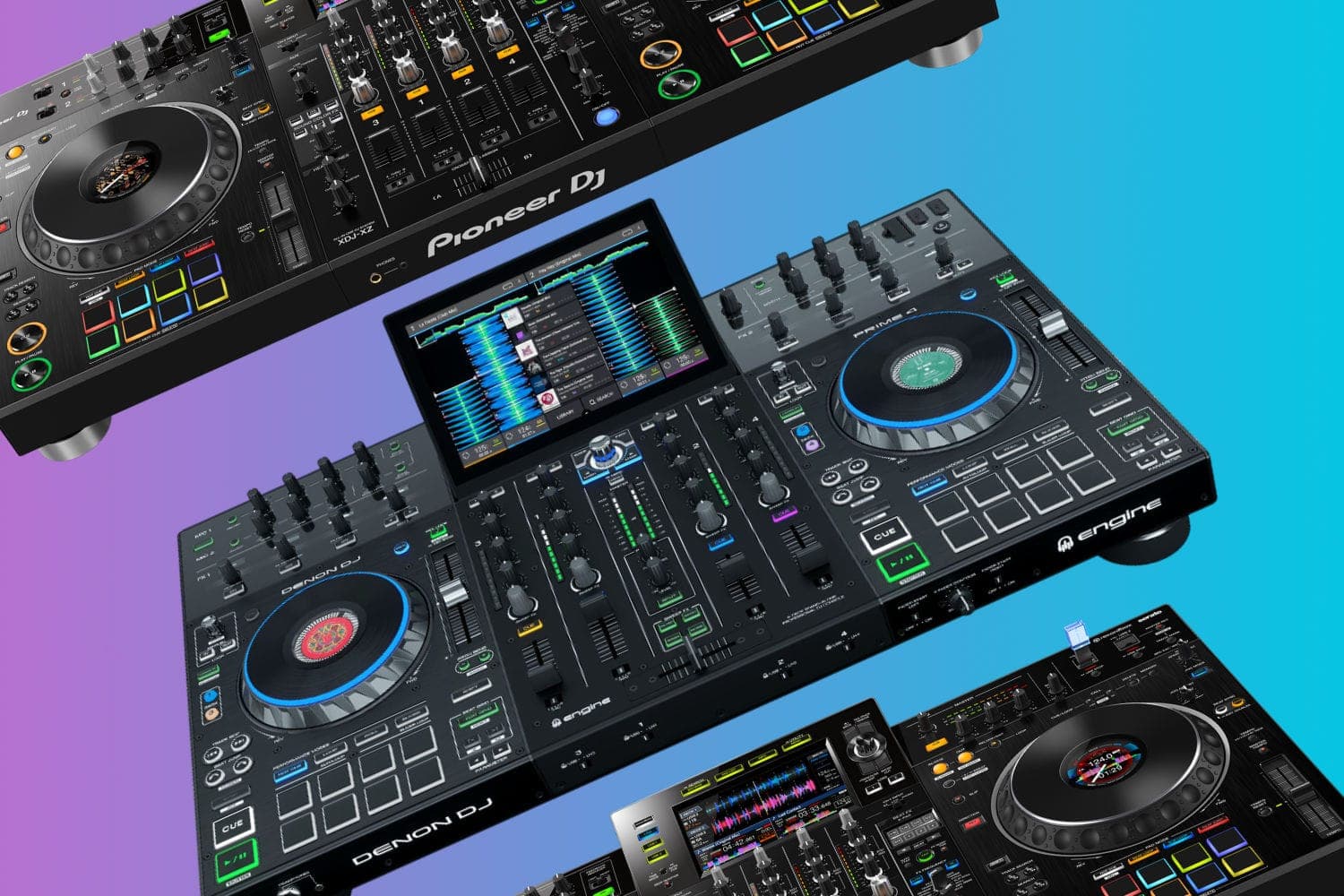
Touchscreen compatibility. VirtualDJ has one of the most touch-friendly interfaces of any DJ software. Controllers with built-in screens (like the Denon Prime 4) or setups using an external touchscreen can take full advantage of VirtualDJ's visual workflow without needing a laptop.
Video mixing capability. VirtualDJ includes built-in video mixing — a feature most competing platforms charge extra for or don't offer at all. If video DJing interests you, choose a controller with enough deck controls and FX to handle both audio and video simultaneously.
Software flexibility. Since VirtualDJ works with nearly every controller, you're not locked in. Controllers that also support Serato, Rekordbox, or djay give you the freedom to switch platforms later without replacing hardware.
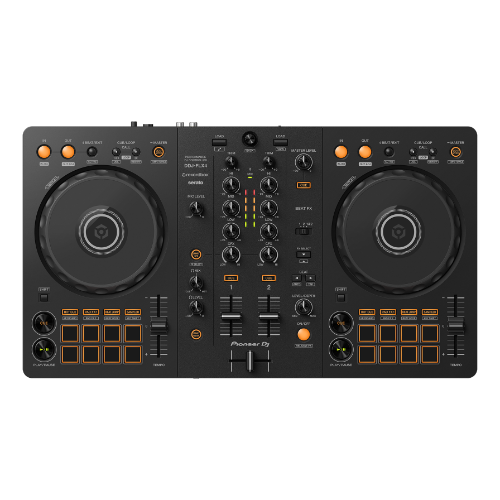
1. Pioneer DJ DDJ-FLX4
Editor's Choice
| Spec | Detail |
|---|---|
| Decks | 2 |
| Software | VirtualDJ, Rekordbox, Serato DJ Lite, djay |
| Jog Wheels | 5.5-inch, capacitive |
| Pads | 8 per deck |
| Connectivity | USB-C, USB-B |
The Pioneer DJ DDJ-FLX4 is the most versatile controller under $300 — and it works flawlessly with VirtualDJ. The automatic mapping is comprehensive, with every pad mode, effect, and transport control functioning exactly as expected.
Smart Fader automatically blends tracks with mismatched BPMs, while Smart CFX applies combined filter and effects with a single knob. These features work alongside VirtualDJ's own intelligent mixing tools, giving beginners multiple safety nets while they develop manual skills.
The layout mirrors Pioneer's professional controllers, so muscle memory transfers directly if you upgrade to a DDJ-1000 or club CDJs. USB-C connectivity is the most future-proof connection standard. The build is lightweight plastic, which keeps it portable but not the sturdiest for heavy gigging.
For the price-to-flexibility ratio, nothing else comes close. You get four-platform compatibility with VirtualDJ, Rekordbox, Serato, and djay — all from a single controller.
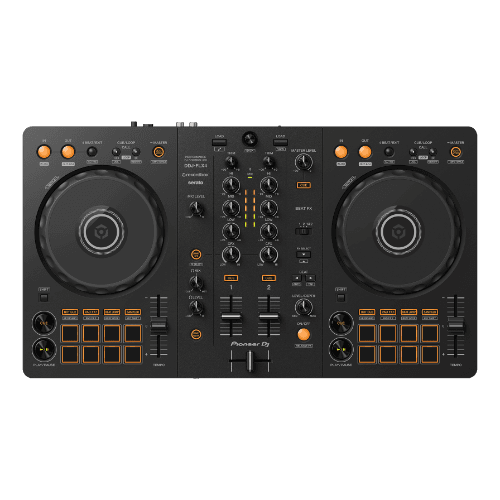
Pioneer DJ DDJ-FLX4
A capable beginner controller that builds on everything the DDJ-400 got right.
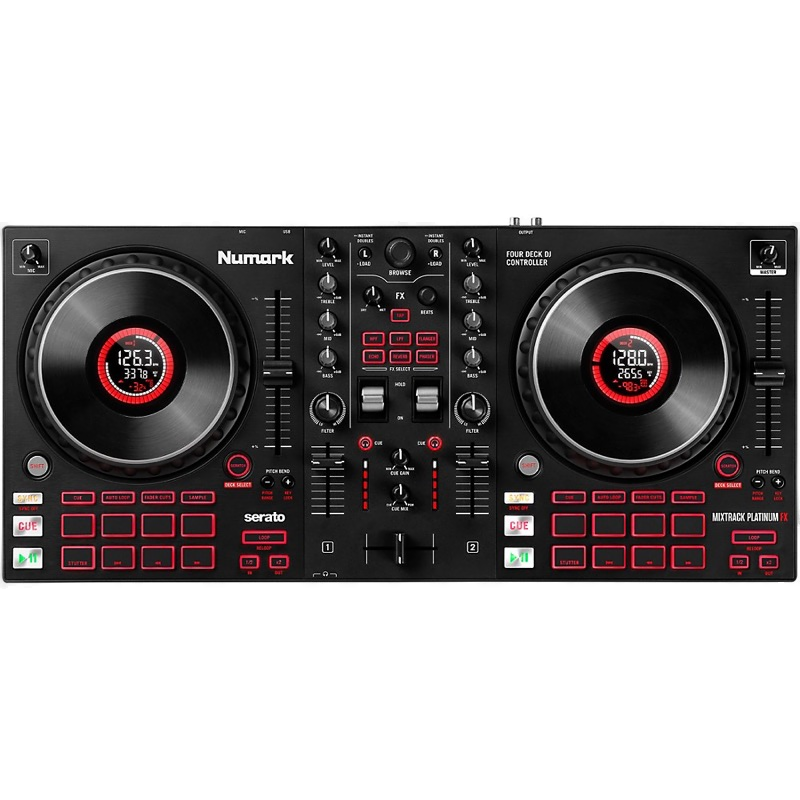
2. Numark Mixtrack Platinum FX
Best Features
| Spec | Detail |
|---|---|
| Decks | 2 (4 via software) |
| Software | VirtualDJ, Serato DJ Lite |
| Jog Wheels | 6-inch with LCD displays |
| Pads | 16 backlit |
| Pitch Faders | Full-sized |
The Numark Mixtrack Platinum FX delivers more hardware features per dollar than any controller at this price. The LCD displays built into the 6-inch jog wheels show BPM, track position, and pitch — information you'd normally check on your laptop screen. During a VirtualDJ performance, that workflow improvement is significant.
VirtualDJ's mapping for the Mixtrack Platinum FX is excellent, with full support for the jog wheel displays, all 16 performance pads, and the dual paddle triggers. Four-deck mixing through VirtualDJ extends the creative possibilities well beyond the 2-channel hardware layout.
Full-sized pitch faders provide precise beatmatching control. The Fader Cuts feature enables scratching techniques that typically require more expensive hardware. Dual headphone outputs (1/8-inch and 1/4-inch) eliminate the need for adapters.
If you want maximum hardware for minimum spend and plan to use VirtualDJ as your primary platform, the Mixtrack Platinum FX is the pick.
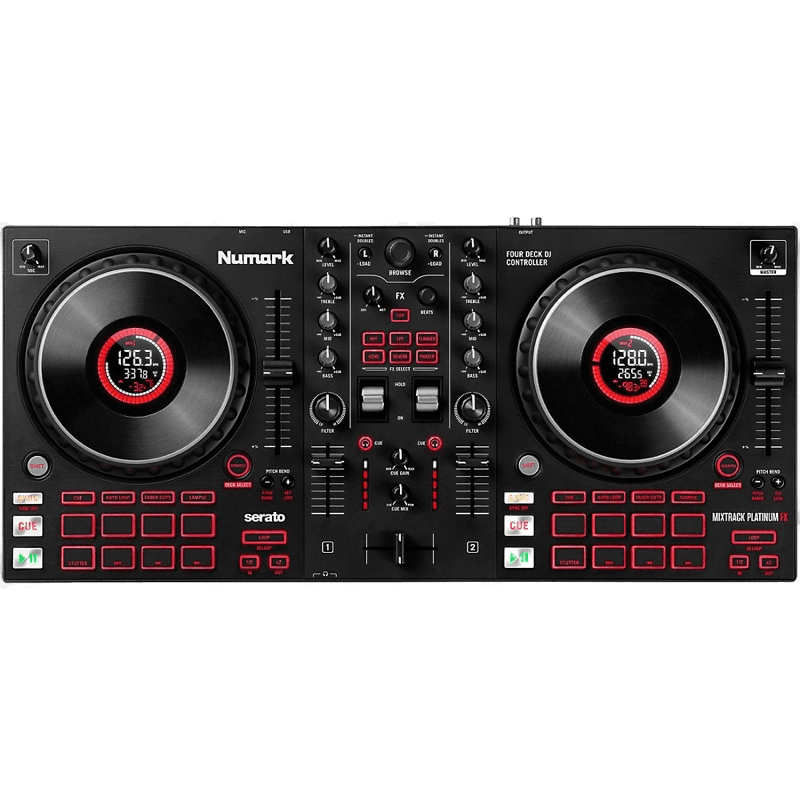
Numark Mixtrack Platinum FX
Category-busting performance with LCD jog wheels and full-sized pitch faders — a beginner scratcher's dream.
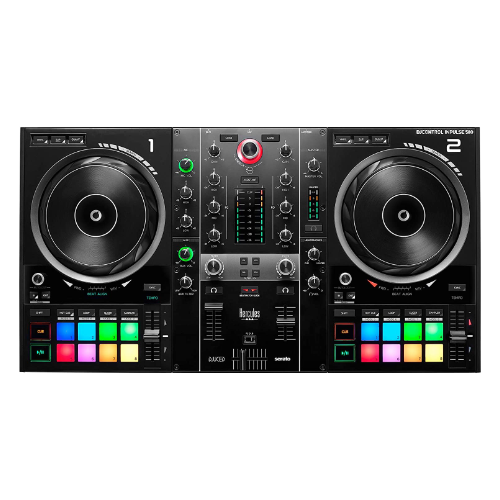
3. Hercules DJControl Inpulse 500
Best Build Quality
| Spec | Detail |
|---|---|
| Decks | 2 |
| Software | VirtualDJ, DJUCED, Serato DJ Lite |
| Jog Wheels | Large, with LED beatmatch guide |
| Build | Metal backing plate |
| Connectivity | XLR, mic input, booth out |
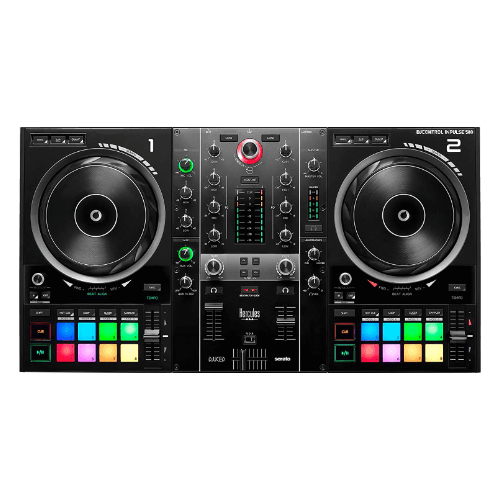
The Hercules DJControl Inpulse 500 has VirtualDJ baked into its DNA. Hercules has long partnered with VirtualDJ, and the Inpulse 500's mapping is among the most complete of any controller — every LED, pad mode, and control responds natively.
The metal backing plate provides a solid foundation that you can feel immediately. XLR master output delivers clean, professional-level audio directly to powered speakers or PA systems. The dedicated mic input makes it essential for mobile DJs who MC events. Booth output gives you a separate monitor feed.
LED beatmatch guides on the jog wheels visually indicate when tracks are aligned — a teaching tool that works hand-in-hand with VirtualDJ's own visual aids. The fold-out ergonomic feet with LED underglow tilt the controller to a comfortable working angle.
For DJs who want professional build quality and gig-ready connectivity with native VirtualDJ support, the Inpulse 500 is the strongest option under $500.
Hercules DJControl Inpulse 500
Excellent beginner experience with enough flexibility to grow into — a great value pick.
4. Denon DJ Prime 4
Premium Choice
| Spec | Detail |
|---|---|
| Decks | 4 |
| Software | VirtualDJ, Engine DJ |
| Display | 10-inch multi-touch |
| Build | Professional, metal chassis |
| Connectivity | Full I/O, Wi-Fi, internal SSD bay |
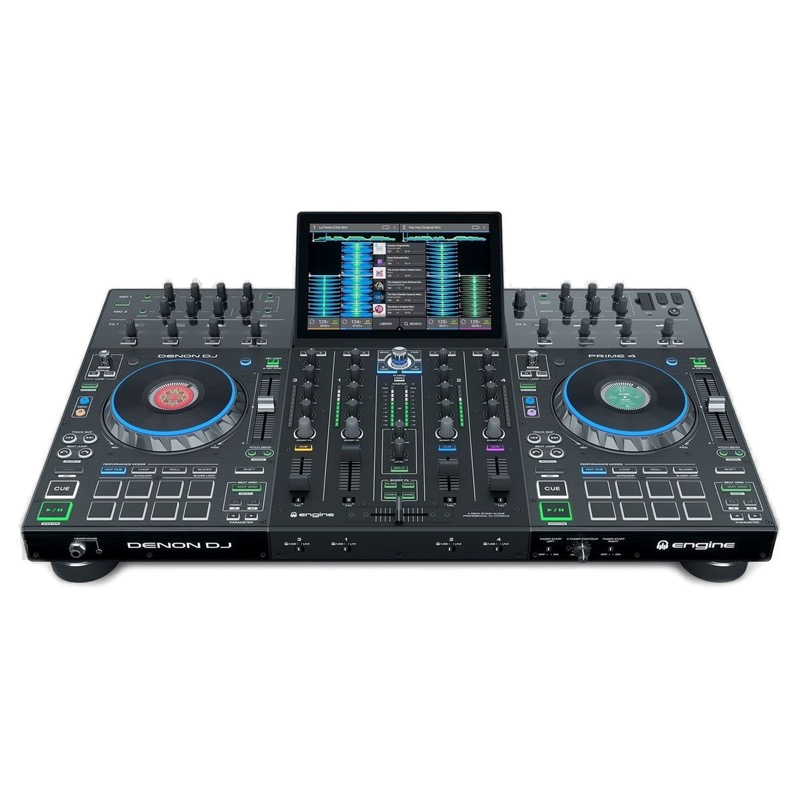
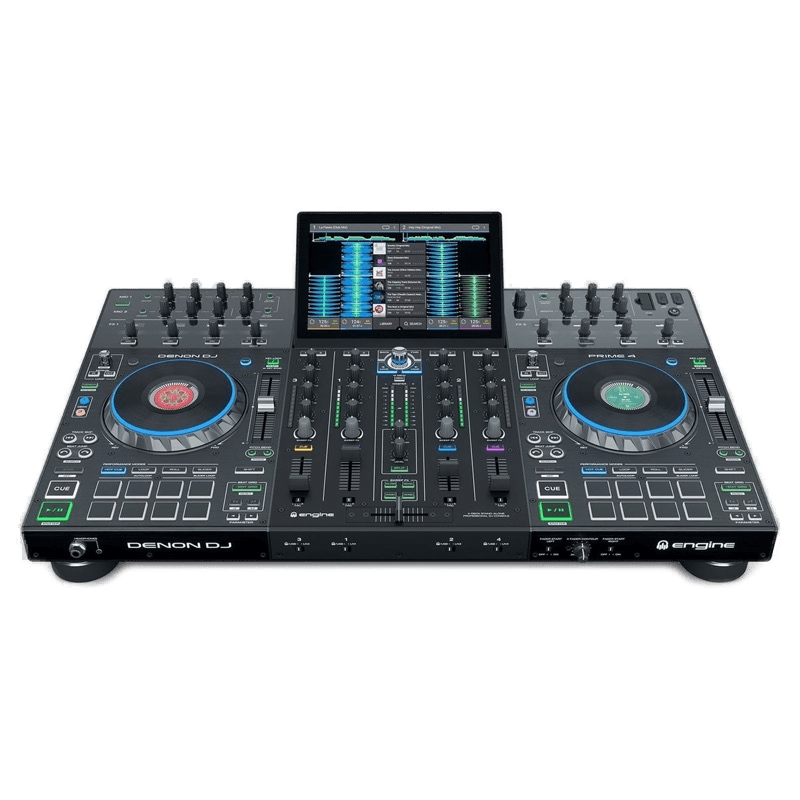
The Denon DJ Prime 4 is the ultimate VirtualDJ controller for professionals. The 10-inch multi-touch display integrates directly with VirtualDJ's touch-optimised interface, giving you full waveform, library, and FX control without looking at a laptop.
VirtualDJ's mapping for the Prime 4 is comprehensive — four full decks, all performance pads, the touchscreen, and even the standalone Engine DJ mode work seamlessly. You can switch between VirtualDJ (connected to a laptop) and standalone Engine DJ mode depending on the gig.
Four-channel hardware mixing, an internal SSD bay for storing your full library, Wi-Fi for streaming, and professional I/O (XLR, booth, zone outputs) make this a complete performance system. The build quality is professional-grade — metal chassis, large capacitive jog wheels, and solid fader stems.
The investment is significant, but for professional VirtualDJ users who want touchscreen integration and standalone backup capability, the Prime 4 is unmatched.
Denon DJ Prime 4
The standalone that nearly creates its own category — 4 decks, 10-inch touch screen, and zero compromises.
Other Controllers Worth Considering
Hercules DJControl Inpulse 300 MK2 — The best entry-level VirtualDJ controller. Hercules's LED beatmatch guides help beginners learn to mix, and DJUCED software provides additional learning tools alongside VirtualDJ. At around $200, it's the most accessible option with native VirtualDJ mapping.
Reloop Buddy — A compact 2-deck controller designed primarily for djay but with solid VirtualDJ support. Neural Mix AI integration through djay is the headline feature, but the hardware works equally well with VirtualDJ for traditional mixing. Portable and iOS-compatible.
Pioneer DJ DDJ-200 — The most affordable Pioneer controller at around $150. Ultra-compact at 1.2 kg, it works with VirtualDJ via USB. Limited jog wheel size and no built-in audio interface, but ideal as a travel controller or first purchase.
FAQs
Does VirtualDJ work with any DJ controller?
VirtualDJ supports the widest range of controllers of any DJ software, with built-in mappings for hundreds of devices. Most controllers from Pioneer, Numark, Hercules, Denon, Roland, and Reloop work out of the box. Even controllers designed primarily for Serato or Rekordbox can typically be used with VirtualDJ through its automatic mapping system.
Is VirtualDJ free to use with a controller?
VirtualDJ Home is free for non-commercial use and supports most controllers. However, the free version has limitations — some advanced features require VirtualDJ Pro ($19/month or one-time licence). Many controllers that ship with Serato DJ Lite or Rekordbox also work with VirtualDJ without additional cost for personal use.
What is the best VirtualDJ controller for beginners?
The Pioneer DDJ-FLX4 is the best starting point. It works with VirtualDJ, Rekordbox, and Serato, giving you flexibility to try different platforms. Smart Fader and Smart CFX features help beginners make smooth transitions while learning. The Hercules Inpulse 300 MK2 is another excellent beginner option with built-in LED beatmatch guides.
Can I use VirtualDJ with a touchscreen controller?
Yes. Controllers with built-in screens like the Denon Prime 4 work well with VirtualDJ's touchscreen-friendly interface. VirtualDJ also supports external touchscreens as secondary displays, which can replace the need for a laptop screen during performances.
Is VirtualDJ good for professional DJs?
Yes. Modern VirtualDJ is a capable professional platform with features like real-time stems separation, video mixing, and the widest controller support of any DJ software. It carries a perception gap from earlier versions, but VirtualDJ Pro is used by working professionals worldwide for club, mobile, and event DJing.
Verdict
The Pioneer DDJ-FLX4 is the best VirtualDJ controller for most DJs. Multi-platform compatibility, Smart features for beginners, and excellent VirtualDJ mapping make it the most versatile and affordable option.
For maximum hardware features, the Numark Mixtrack Platinum FX leads with LCD jog wheel displays, 16 pads, and full-sized pitch faders. The Hercules Inpulse 500 offers the best build quality and gig-ready connectivity with native VirtualDJ support. And for professionals who want touchscreen integration and standalone capability, the Denon Prime 4 is the premium choice.
VirtualDJ's universal hardware support means you can start with any of these controllers and know the software will work. Choose based on your budget and gigging needs — the software will adapt to whatever you connect.