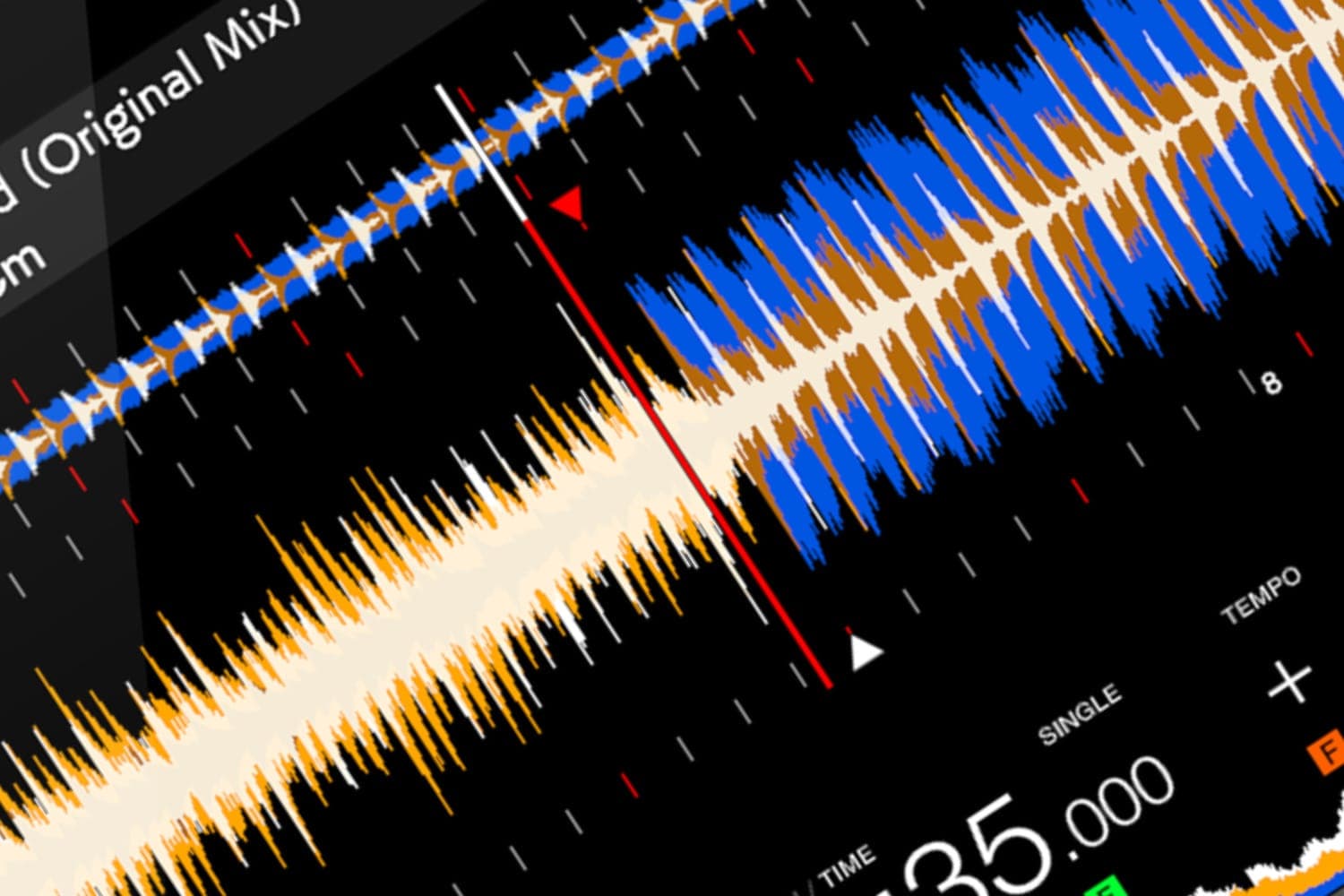
A beatgrid is the set of beat markers your DJ software lays over a track's waveform when it analyses the track, with the first beat of each bar marked; sync, quantize, beat-length loops, beat jumps and tempo-synced effects all follow it. When the markers drift off the beats or bar 1 is in the wrong place, fix the grid in the software's grid editor, then lock it so a later analysis can't overwrite your fix.
What the grid is
Analysis measures a track's tempo and finds its first downbeat, and the grid is drawn from those two things. Each program shows it a little differently:
- rekordbox draws the grid as white lines on the enlarged waveform, with red marks on the first beat of each bar.
- Serato DJ Pro puts a red Downbeat Marker, numbered 1, on the first transient, then numbers every bar, with three small white markers for the beats between.
- Traktor builds a grid from Grid Markers, each setting the tempo until the next one. Its analysis sets a single marker with one tempo for the whole track.
- Engine DJ calls the points that pin the grid to the music anchors.
The grid is separate from your cue points: Native Instruments notes that deleting cue points leaves the grid as it was.
What relies on it
- Sync. BEAT SYNC in rekordbox, Smart Sync in Serato and BeatSync in Traktor line tracks up by their grids, so a wrong grid gives a wrong sync. Serato's Simple Sync is the exception: it matches transients and works without a grid. The sync button explainer covers each program's modes.
- Quantize. With quantize on, cue points, hot cues and loop points snap to the nearest grid line, in every one of these programs.
- Loops, beat jumps and effects. Auto loops and beat jumps are measured in beats from the grid, and tempo-synced effects such as echoes time themselves from it.
- Players. A grid set in rekordbox goes onto the USB stick with the track, and Pioneer DJ players use it for their quantize function.
How to check a grid
Load the track, open the grid editor and turn on its metronome: the [GRID] panel in rekordbox, Beat Tick in Traktor's GRID page, and the Metronome in Engine DJ all click on every grid line. Serato suggests skipping forward to just after a breakdown and to the outro to see whether the markers still sit on the beats. What you hear tells you which fault you have:
| What you see or hear | The fault | The usual fix |
|---|---|---|
| Clicks fall on every other kick, or between the kicks too | Tempo read at half or double | Double or halve the BPM in the grid editor |
| Every click is early or late by the same amount | The grid is in time but slipped | Move (slip) the whole grid |
| The beats line up but bar 1 is on the wrong beat | Wrong downbeat | Set the downbeat again |
| In time at the start, drifting later in the track | Tempo slightly wrong | Widen or narrow the grid, or type the BPM |
| Drifts in and out through the track | The track changes tempo | Use more markers or a dynamic analysis mode |
Tempo changes are most likely in tracks played by live musicians. Serato's manual calls them common in live-recorded music such as rock, funk and reggae, and very rare in most electronic music. To stop half and double tempos at the source, narrow the BPM range before analysing: Normal mode's BPM Range in rekordbox, BPM Range in Serato's Analysis settings, and BPM Range under Analyze Options in Traktor. Serato's own example is a track analysed at 140 that should read 70, fixed with a range of 68 to 135. The BPM and key finder guide covers analysis in more detail.
Fix it in rekordbox
From the rekordbox 7 manual:
- In EXPORT mode, choose the 1 PLAYER layout, load the track and pause it, then click [GRID] in the function panel. Edited grid lines turn blue. In PERFORMANCE mode, open the [GRID EDIT] panel on the deck instead.
- Use the panel's buttons: move the grid left or right by 1 millisecond, widen or narrow the spacing by 1 millisecond, double or halve the BPM, tap the tempo with [TAP], type a BPM, or re-set the grid from the playhead. In PERFORMANCE mode, a button sets the nearest grid line as the first beat of the bar ([1.1Bars]).
- Turn on Analysis Lock in the same panel, or right-click the track and choose [Analysis Lock]. Re-analysing a track overwrites a grid you edited unless it is locked.
For tracks that change tempo, choose Dynamic as the Track Analysis Mode under Preferences > Analysis > Track Analysis and re-analyse. Turning on Use high precision BeatGrid analysis there gives more accurate results but slower analysis. You can't edit a grid while rekordbox is connected to equipment over PRO DJ LINK. Grids you change on a player come back into rekordbox with Update Collection, as rekordbox tips for playing out explains, and how to organise music in rekordbox covers analysis settings for a whole library.
Fix it in Serato DJ Pro
From Serato's manual on editing beatgrids and its grid edit shortcuts:
- Load the track and click Edit Grid beside the time display, or press Alt + Space. The button only appears with Smart Sync, or Simple Sync with Snap to Beatgrid, chosen under Setup > DJ Preferences > Sync Mode.
- To move the whole grid, slip it with Control + the arrow keys. To stretch or squeeze it from the last marker, adjust it with the arrow keys. Add Shift for larger steps.
- If bar 1 is wrong, press Delete to clear the nearest marker (Shift + Delete clears the whole grid), move the playhead to the right beat and press X to set a new Downbeat Marker, which snaps to the nearest transient.
- For a tempo change, press X at the change to set a Beat Warp Marker; set as many as the track needs.
- Press Enter to save, or Esc to leave without saving.
To lock the grid, Control-click the empty Status column beside the track in the library; a blue lock appears. With Analyze BPM / Beatgrid ticked in the Analysis settings, re-analysing overwrites manual changes on unlocked tracks.
Fix it in Traktor
From the Traktor Pro manual:
- Load the track, click the deck's Advanced Panel button and choose GRID. Turn on Beat Tick to hear a click on every grid line.
- For a track with a few clear tempo changes, delete the existing markers with the bin button, set a Grid Marker on the first downbeat and at each change, align each marker to the attack of the beat with Move Grid Marker, then use BPM Increase and Decrease to fit the grid between markers.
- For a live recording with a drifting beat, set a marker every 16 beats, or every 4 if it still drifts.
- Activate the Lock button when the grid is right.
Native Instruments suggests turning on Key Lock on decks synced to a track with tempo changes, to avoid pitch-shifting artefacts between tempo zones. Traktor Pro 4 tips covers the rest of the program.
Fix it in Engine DJ
From the Engine DJ Desktop user guide (version 5.1.0):
- Load the track and click the Grid Edit icon in Deck Modes.
- Use Grid Left/Right to slip the whole grid, Downbeat Left/Right to move bar 1, +/- BPM or /2 and X2 to change the tempo (hold Shift for finer steps), or Tap Tempo.
- For fluctuating tempo, click Insert Anchor to pin the nearest beat to the playhead; Delete Anchor removes one. Reset goes back to the analysed grid.
- Click the lock icon. Analysis won't change a locked grid.
Tracks imported from rekordbox or Serato keep their own grids in Engine DJ; to edit one there, re-analyse the track first. What Engine DJ is covers the desktop and player software.
How this page is made
Every step and setting here comes from the makers' own manuals, read on 13 October 2026: the rekordbox 7 Instruction Manual (the edition for 7.2.18; the current release is 7.2.19), Serato DJ Pro's online manual, Native Instruments' Traktor Pro manual and the Engine DJ Desktop user guide 5.1.0. Button and menu names are as each program shows them in English. The table of faults is a summary of what those manuals describe. We haven't tested the analysis of any of these programs. The methodology explains how the site works.