
DJ Tech Reviews

Splice Sounds

Royalty-free sample subscription that charges per sound, not per pack; credits cap how much you take each month.

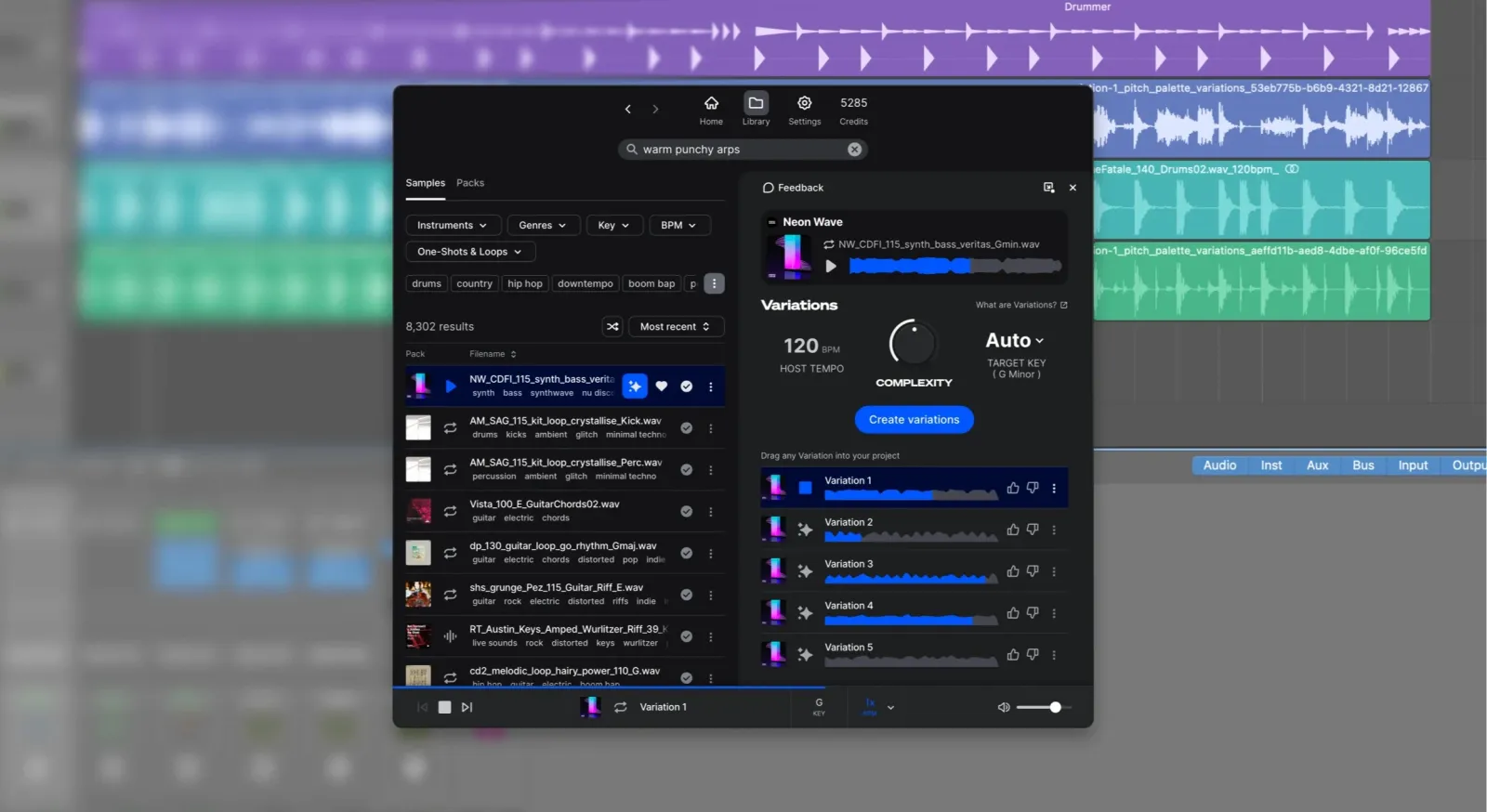
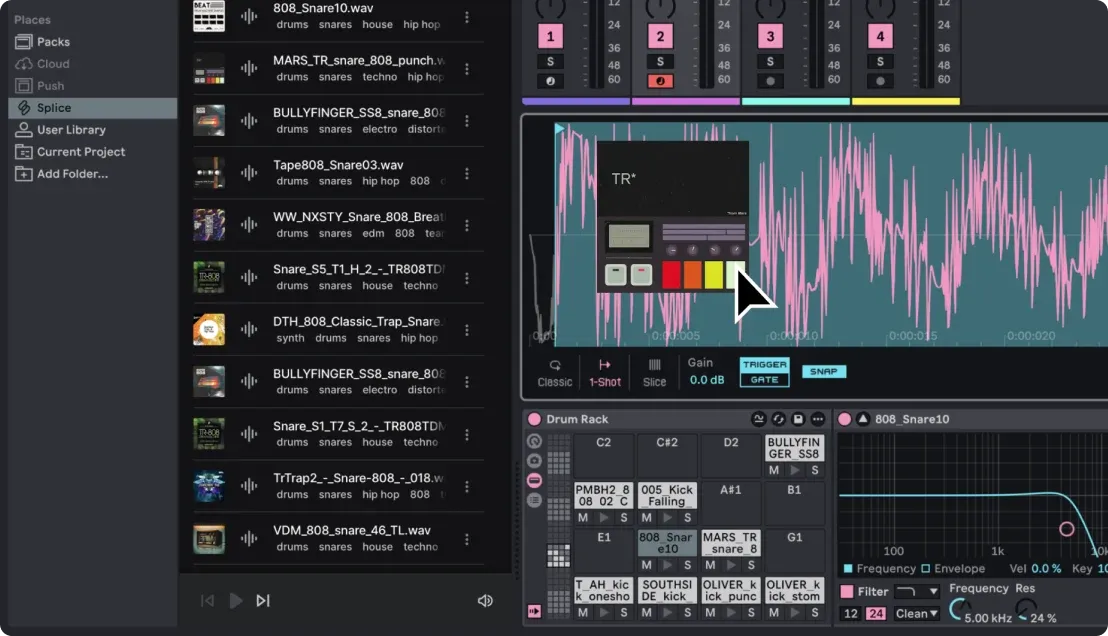
The Splice Sounds plugin open over a DAW session, with sample search results and the Variations panel

Photos: Splice

3 of 3 reviews recommend it

See reviews
Best for
Producers who want individual royalty-free sounds rather than whole sample packs.
Skip it if
You download hundreds of sounds a month or want a one-off purchase.

The Internet’s Opinion

From 3 professional reviews: a fair amount of evidence.

The three reviews found recommend it for a huge, searchable royalty-free library and paying per sound rather than per pack. Their reservations are the monthly credit cap for heavy users and the need for an active subscription to download anything new.

3 recommend0 mixed0 avoid

What people praise

  • Huge library that is quick to search and audition
  • Pay per sound with credits instead of buying whole packs
  • Downloads stay yours and royalty-free, even after cancelling
Show 1 more
  • Drag sounds straight into any DAW

What to know first

  • Monthly credits cap how much heavy users can download
  • New downloads stop when the subscription ends
See the 3 reviews behind this

3 professional reviews (3 recommend, 0 mixed, 0 avoid); no owner reviews read (Thomann and Guitar Center do not sell it)Compiled 2026-10-12How this is compiled

Before you buy

Released
June 2015
Status
Current

Works with

  • Any DAWDrag and drop

    Sounds download to a folder managed by the Splice desktop app and drag into any DAW Splice, checked 2026-10-12

  • Sounds PluginIn your DAW

    Browse, save and download Splice sounds inside the DAW Splice, checked 2026-10-12

  • Pro Tools, Studio One, Ableton LiveBuilt-in integration

    In-DAW integrations with Pro Tools 2025.6+, Studio One 7+ and Ableton Live 12.3 (beta) Splice, checked 2026-10-12

  • Serum and VitalPresets included

    All plans include presets for Serum and Vital Splice, checked 2026-10-12

  • Mobile appBrowse and save

    Desktop and mobile apps are included with every plan Splice, checked 2026-10-12

You’ll also need

  • A subscription with creditsMonthly credits

    Each sample costs one credit and MIDI or presets up to three; new downloads need an active plan Splice, checked 2026-10-12

  • Splice desktop appFree download

    Downloaded source files are stored and viewed through the desktop app Splice, checked 2026-10-12

Key specs

Catalogue
3M+ royalty-free samples, loops, one-shots, MIDI and presets
Plans
Sounds (about 100 downloads a month) or Creator (about 200 a month, 1,000+ presets, Rare Finds)
Billing
Monthly or yearly; cancel any time; plans can be paused for up to two months
Credits
Samples cost 1 credit, MIDI and presets up to 3; unused credits roll over
Licence
100% royalty-free and cleared for commercial use; downloads are yours to keep
DAW support
Any DAW via the desktop app; Sounds Plugin inside the DAW
All 11 specifications
DAW integrations
Pro Tools 2025.6+, Studio One 7+, Ableton Live 12.3 (beta)
Apps
Desktop and mobile apps
Plugins
Bridge for auditioning in your project; INSTRUMENT, Astra and Beatmaker on eligible plans
Presets
Presets for Serum and Vital
After cancelling
Downloads stay usable; remaining credits expire 28 days after the plan ends

11 of 11 figures sourced; hover one for its source

Our take

Jon MusgraveWritten from the sources on this page, not from a loan unit.

All three professional reviews found recommend it. MusicTech, Attack Magazine and producer finalmartin praise a huge, searchable library and paying per sound instead of per pack. Two note the monthly credit cap for heavy users, and two point out that new downloads stop when you cancel, though everything already downloaded stays yours and royalty-free. No owner reviews were found. Choose the plan by how many sounds you download a month.

What it is

Status, October 2026: current. Splice sells two Sounds plans, and sounds can now be browsed inside the DAW through its Sounds Plugin (Splice plans).

What it is

Splice Sounds is a subscription library of royalty-free samples from Splice, a company founded in 2013 (Attack Magazine). It launched at the end of June 2015 as a service that lets you audition single sounds and download only the ones you need (Splice). The catalogue now holds more than three million samples, loops, one-shots, MIDI patterns and presets.

Plans run monthly or yearly and pay out credits: a sample costs one credit, and MIDI patterns and presets up to three. Unused credits roll over, a plan can be paused for up to two months, and you can cancel at any time. Everything you download is cleared for commercial use and stays yours after you cancel, though remaining credits expire 28 days after the plan ends. The Sounds plan gives about 100 downloads a month and the Creator plan about 200, plus more than 1,000 presets.

Sounds arrive through the Splice desktop app, which files them in a folder any DAW can read, or through the Sounds Plugin inside the DAW. Splice also has direct integrations with Pro Tools 2025.6 and later, Studio One 7 and later, and Ableton Live 12.3 in beta. Bridge plays sounds in the key and tempo of your project before you spend a credit, and every plan includes presets for Serum and Vital and the mobile app (plans and FAQ).