
DJ Tech Reviews

Samsung T7

A slim, light SSD with both cables in the box; writes slow on long transfers and it has no water rating.

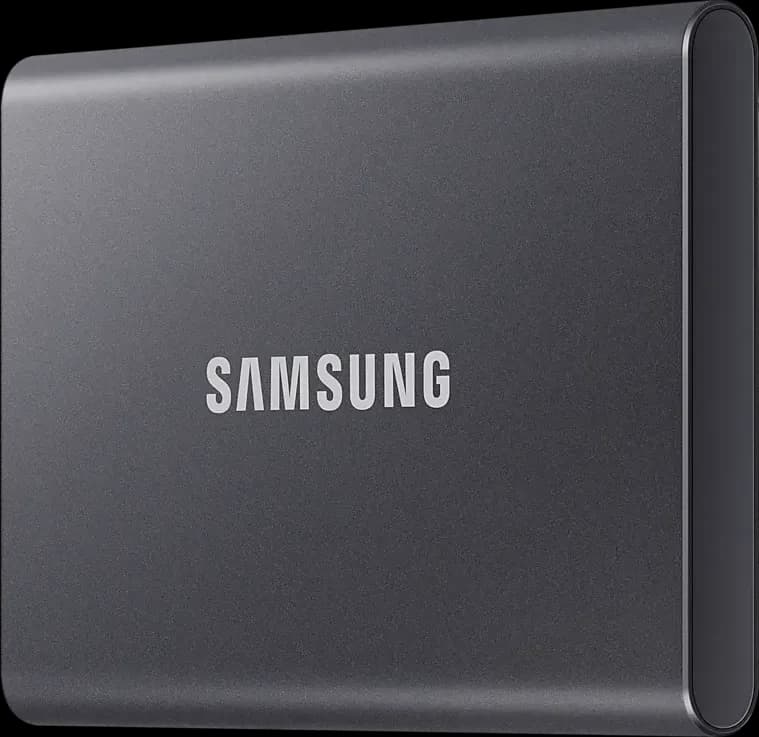
Samsung Portable SSD T7 in Titan Grey, front

Photos: Samsung

All retailers and the price history

We may earn commission from links on this page. This does not affect our editorial independence.

91%

of 11 reviews recommend it

See reviews
Best for
A slim gig and backup drive that rides in a bag or pocket.
Skip it if
It will get wet or knocked about, or you need full-speed long writes.

The Internet’s Opinion

From 11 professional reviews: a fair amount of evidence.

Reviewers recommend it as a small, light drive that works on almost anything with the cables in the box; the reservations are writes that slow on long transfers, no water or dust rating, and a password that needs Samsung's software.

10 recommend1 mixed0 avoid

What people praise

  • Small and light enough for a pocket
  • Works on Mac, Windows, phones and consoles without setup
  • Fast on everyday copies
Show 1 more
  • Both USB-C and USB-A cables in the box

What to know first

  • No water or dust rating
  • Real-world speeds fall short of Samsung's rating
  • Writes slow down on long transfers
Show 3 more
  • The password needs Samsung's software and locks out iPhones and iPads
  • Warranty is only three years
  • Gets warm under long, heavy use
See the 11 reviews behind this

Video reviews

  • Adam Talks TechJul 2024Recommends

    Should you buy the Samsung T7 Portable SSD In 2024?

    Should you buy the Samsung T7 Portable SSD In 2024?

    Adam Talks TechJul 2024Recommends
  • Will HaydenMar 2025Recommends

    Samsung T7 SSD Review - The Must Know Facts Before You Buy!

    Samsung T7 SSD Review - The Must Know Facts Before You Buy!

    Will HaydenMar 2025Recommends

Plays from YouTube when you press play. Picked from the reviews counted above, including one that disagrees where there is one.

Prices

Before you buy

Released
May 2020 (US availability)
Status
Current

Works with

  • CDJ-3000X, CDJ-3000 and CDJ-1500XReads exFAT as shipped

    Pioneer DJ's player comparison lists FAT32, exFAT and HFS+ for these players, and the T7 ships formatted exFAT (Notebookcheck). The CDJ-3000X and CDJ-1500X also have a USB-C storage port. Manufacturer spec sheet (Pioneer DJ), checked 2026-11-04

  • CDJ-2000NXS2, XDJ-1000MK2 and XDJ-700Reformat first

    Pioneer DJ's player comparison lists FAT32 and HFS+ but not exFAT for these players, so reformat the drive before the first export. Manufacturer spec sheet (Pioneer DJ), checked 2026-11-04

  • XDJ-RX3, XDJ-AZ and OPUS-QUADFAT32, exFAT or HFS+

    The manuals list all three formats. Their USB-A ports are rated 5 V and 1 A or less; Samsung publishes no current draw for the T7, so try it on the unit before a gig. Manufacturer spec sheet (AlphaTheta), checked 2026-11-04

  • Denon DJ PRIME and SC LIVEexFAT recommended

    The Engine OS user guide supports exFAT (recommended) and FAT32, not HFS+, so the T7 works as shipped. Manufacturer spec sheet (Denon DJ (inMusic)), checked 2026-11-04

  • USB-A portsCable in the box

    Samsung includes a USB-C to USB-A cable with the USB-C to USB-C one, and the T7 works on USB 3.1, 3.0 and 2.0 ports at lower speeds. Manufacturer spec sheet (Samsung), checked 2026-11-04

  • Mac and WindowsPlug and play

    Samsung lists Windows 7 or higher, Mac OS X 10.10 or higher and Android Lollipop or higher. Manufacturer spec sheet (Samsung), checked 2026-11-04

You’ll also need

  • Samsung MagicianFree, optional

    Needed only to set a password or update firmware; Samsung lists Windows 10 or later, macOS 10.13.6 or later and Android 5.1 or later. Notebookcheck found a password-locked T7 can't be opened on an iPhone. Manufacturer spec sheet (Samsung), checked 2026-11-04

  • A FAT32 tool on WindowsFor older players

    Windows can't format a drive over 32 GB as FAT32 without extra software, Digital DJ Tips notes; older Pioneer DJ players need FAT32 or HFS+. Digital DJ Tips, checked 2026-11-04

Key specs

Capacity
1, 2 and 4 TB (4 TB in grey only)
Connector
USB-C
Interface
USB 3.2 Gen 2 (10 Gbps), UASP; works on USB 3.1, 3.0 and 2.0 at lower speeds
Read speed
Up to 1,050 MB/s
Write speed
Up to 1,000 MB/s
Dimensions
85 × 57 × 8 mm
All 11 specifications
Weight
2.0 oz (1 TB); Samsung UK lists 72 g for the 4 TB
Warranty
3-year limited
Rugged
Drops of up to 2 m (Samsung's free-fall test); no water or dust rating published
Cable
USB-C to USB-C and USB-C to USB-A, both in the box
Encryption
AES 256-bit hardware encryption, optional password

11 of 11 figures sourced; hover one for its source

Our take

Rory TassellWritten from the sources on this page, not from a loan unit.

Ten of 11 professional reviews recommend it: it is small and light, comes with USB-C and USB-A cables, and works on almost any computer as shipped. The reservations are writes that slow on long transfers, no water or dust rating, and a password that needs Samsung's software. Buy it for a slim gig drive that stays in the bag; if it will get knocked about or wet, choose the T7 Shield.

What it is

Status, November 2026: current. Samsung still lists the Portable SSD T7.

What it is

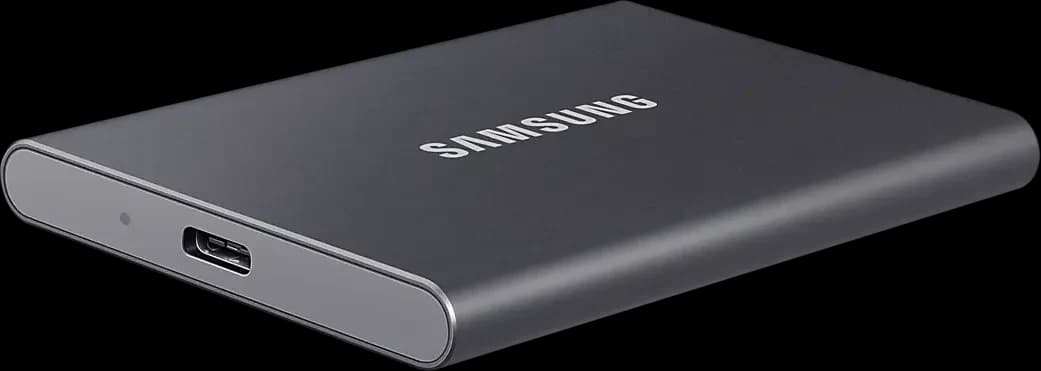
The T7 is a credit-card-sized drive in an aluminium case, 85 × 57 × 8 mm (Samsung UK). Samsung now sells it in 1, 2 and 4 TB, the 4 TB in grey only; a 500 GB size was sold at its launch in May 2020 (Samsung Newsroom). Samsung US lists 2.0 oz for the 1 TB and Samsung UK 72 g for the 4 TB. It has a USB-C port and comes with a USB-C to USB-C and a USB-C to USB-A cable, so it plugs into the USB-A ports most club players have; the CDJ-3000X also takes it on its USB-C storage port. Samsung rates it up to 1,050 MB/s read and 1,000 MB/s write over USB 3.2 Gen 2 and for drops of up to 2 m, and publishes no water or dust rating.

It ships formatted exFAT, Notebookcheck found, which the CDJ-3000 and Denon DJ players read; a CDJ-2000NXS2 needs it reformatted to FAT32 or HFS+. Long writes are where reviews hold back: Tom's Hardware found its DRAMless design slows big transfers once Samsung's cache fills, and Adam Talks Tech noted speeds fall on transfers of about 500 GB. A password needs Samsung Magician, and Notebookcheck found an iPhone can't open a locked T7. The external drives guide covers formats and backups.