Clipping is what happens when a signal is louder than a stage in your setup can pass, and it comes out as harsh distortion; redlining means running the level meters into the red, where that starts. Set each channel's trim so the meter peaks just below the red, keep the master out of the red, and if the room needs to be louder, turn up the speakers rather than the mixer.
What clipping is
Every part of a DJ setup has a ceiling, the loudest signal it can pass: the DJ software's output, each mixer channel, the mixer's master output, and the amplifier in the speakers. Serato's gain structure guide defines the terms:
- Gain makes a signal louder. Turning it down is attenuation.
- Headroom is the space between a signal's average level and the ceiling.
- Clipping is what happens when the signal goes over the ceiling, and it can produce unpleasant, loud distortion.
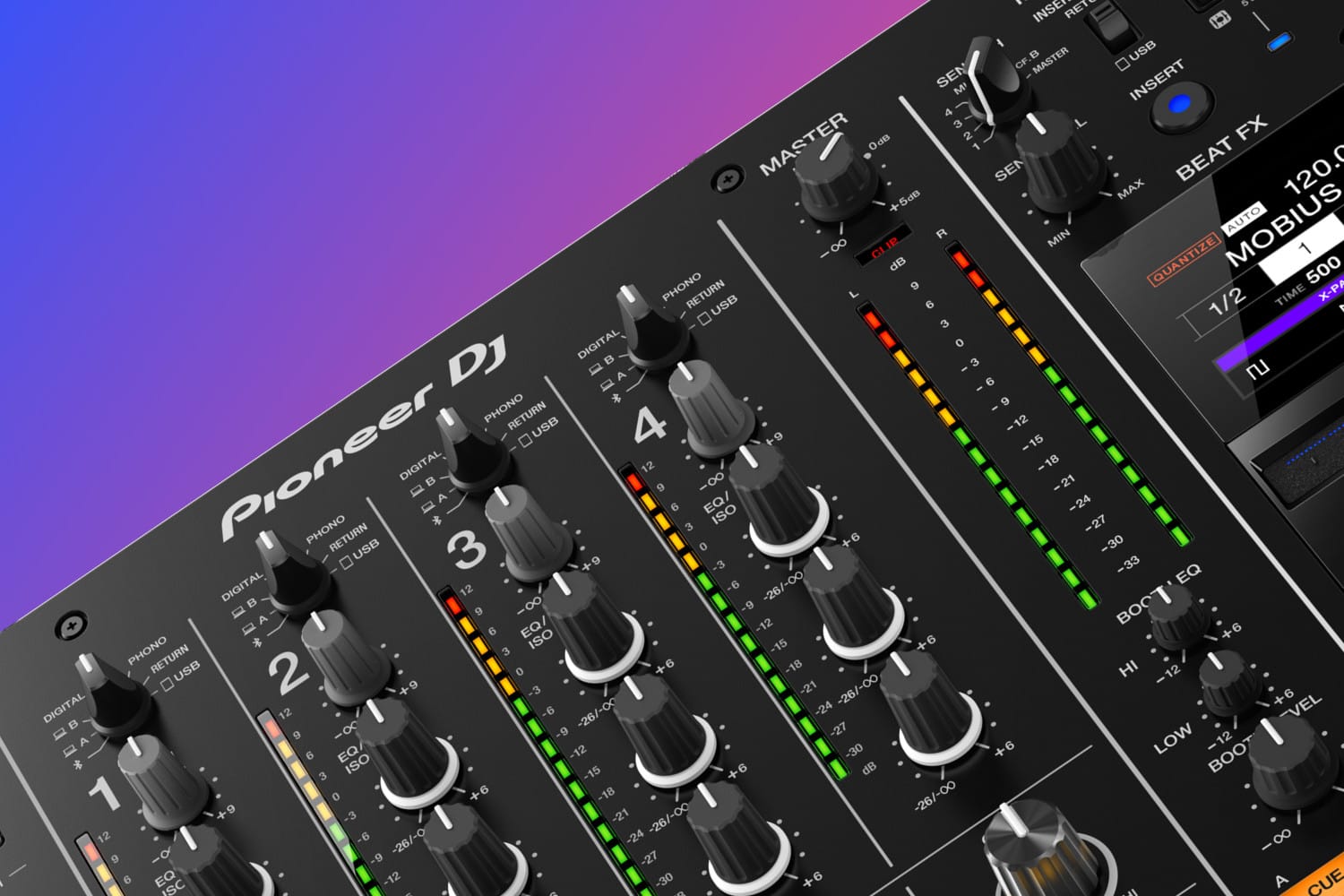
Meters show how close you are. Red usually means clipping or nearly clipping, and a meter sitting just below the red means the signal is as loud as it can be without clipping, Serato says.
Each stage can clip on its own. Pioneer DJ's DJM-450 manual lists both a channel's input level and the master level as causes of distorted sound, and a mixer output that is too hot for the next device distorts in that device instead.
Redlining
Redlining is running the meters into the red. Mixers warn you in different ways:
- A CLIP light. On the Pioneer DJ DJM-450, the master meter's CLIP indicator flashes slowly when the sound is about to distort and quickly when it is distorting (DJM-450 manual).
- A limiter. Serato DJ Pro's master meter turns red above its +3 dB setting, where a limiter stops the output rising further. Red segments mean the limiter is working, which can degrade the sound, so Serato recommends keeping out of the red at all times (Serato's Master Output Level). The Pioneer DJ DDJ-FLX4 has a Peak Limiter setting on its master output to prevent sudden digital clipping (DDJ-FLX4 manual).
A limiter is a safety net, not a level to play at.
How to set levels
Serato's guide recommends as few gain stages as possible: one gain at the input and one attenuation before the amplifier. In practice:
- Track gain. Some tracks are louder than others. Serato's track gain, or its Auto Gain setting, evens them out; Serato recommends the loudest parts of a track sit in the yellow of the deck meter (Serato's Track Gain Adjust).
- Channel trim. Turn the trim until the channel meter peaks in the orange at the loudest part of the track, per the DDJ-FLX4 manual, or at about 0 dB on the DJM-450. Check it again for each new track.
- Master level. Set it so the master meter peaks around 0 dB, per the DJM-450 manual.
- Volume at the speakers. If the room needs to be louder once the master peaks around 0 dB, use the speakers' or amplifier's own volume rather than pushing the mixer into the red. If the speakers distort while the mixer's meters are fine, the mixer's output may be too hot for them: the DJM-450 manual suggests setting the master output attenuator to -6 dB or -12 dB. Powered speakers show this with a limit light; on JBL's EON600 series, a LIMIT light that stays on for longer than brief peaks means the speaker is being over-driven (EON600 user guide).
Running everything low isn't the answer either. Every analogue connection adds some noise, and turning a quiet signal up later turns the noise up with it, which is why Serato's guide calls poor gain structure the usual cause of a noisy system.
Other causes
- A turntable plugged into the wrong input. A turntable with a built-in phono preamp distorts in a mixer's PHONO input; connect it to LINE, or switch the turntable to PHONO output, the DJM-450 manual says. The same applies to a computer audio interface between a turntable and the mixer.
- Recording over USB. Mixers that send audio to the computer for recording have their own output level for it. The DJM-450's operating instructions warn that raising its USB Output Level too high distorts the sound.
Why it matters
Clipping sounds bad first. Over time it can also damage speakers: JBL says continuously over-driving its EON speakers causes unpleasant, fatiguing distortion and may lead to premature failure, and Paradigm says tweeters are extremely sensitive to clipping and distortion and are the first to fail.
For mixers with clear metering, see the best DJ mixers and the best DJ mixers for beginners. For speakers, see the best powered speakers. If you add an interface to your setup, what an audio interface does covers inputs and outputs.
How this page is made
Every claim here comes from Serato's manuals and support articles, Pioneer DJ's mixer and controller manuals, JBL's EON600 user guide and Paradigm's support pages, read on 12 October 2026 and linked where it is used. Meters and settings differ between models, so check your own manual. We haven't tested the hardware for this page. The methodology explains how the site works.