Traktor's own all-in-one
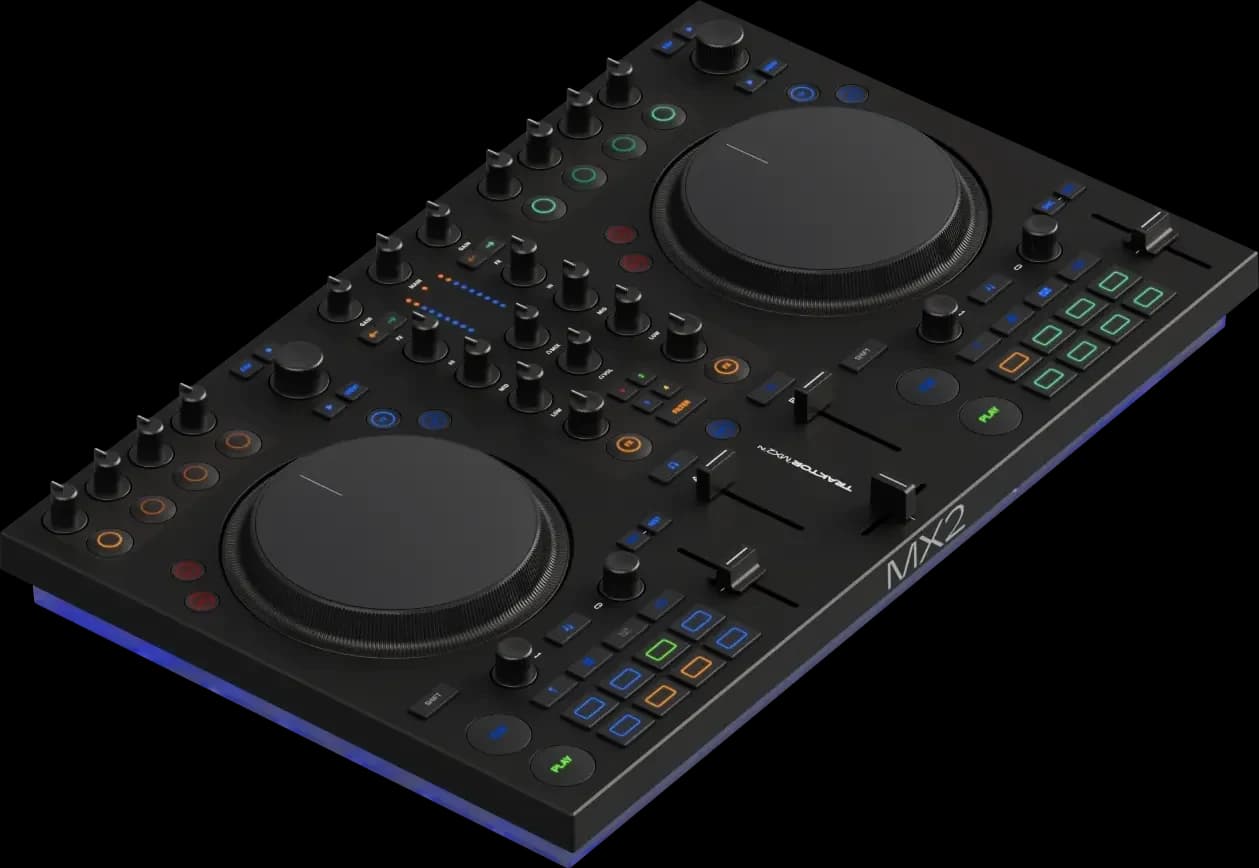
Native Instruments Traktor MX2
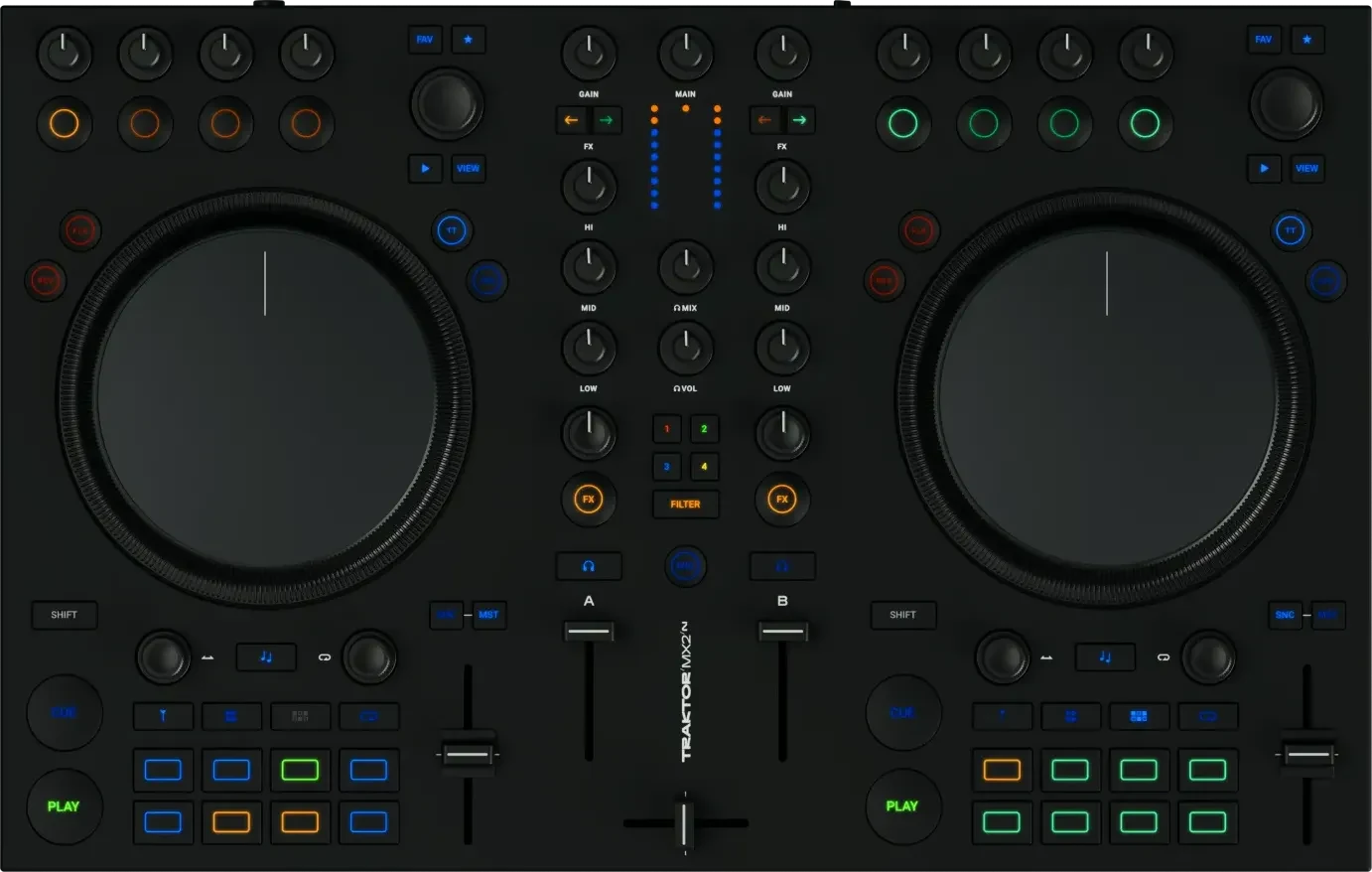
An entry-level Traktor controller with the full Traktor Pro 4 and a loud sound card; plastic, with RCA outputs only.
Photos: Native Instruments
of 8 reviews recommend itand 10 owner reviews
Choose it if you want one unit with jog wheels, a mixer and a sound card, and you plan to DJ in Traktor. It controls Decks A and B in Traktor Pro 4, with 16 pads for hot cues, stems, Flux Loops and the Pattern Player, two Deck FX units and a Mixer FX knob, and its main output is RCA or a 3.5 mm mini jack, so it feeds home speakers or a club mixer's line input but not an XLR-only system. It needs its power supply, a computer with a USB-C port and Traktor Pro 4; in MIDI mode it works with other software only with mappings you make yourself, and Bonedo and Crossfader both point out that streaming inside Traktor is limited to Beatport and Beatsource. If you already own a mixer or CDJs, the X1 MK3 adds Traktor control without doubling up on a mixer.
- Best for
- New and returning DJs who want Traktor's stems, effects and Pattern Player.
- Skip it if
- You need XLR outputs or four channels, or you use rekordbox or Serato.
What people praise
- Stems, Pattern Player and two Deck FX units give hands-on creative tools
- Comes with the full Traktor Pro 4, with no subscription
What to know first
- No balanced XLR or booth output, only RCA and a mini jack
- Plastic build, with scratchy or loose faders
Video reviews
- NoisegateOct 2025Recommends
A mixer and sound card for a laptop
Native Instruments Traktor Z1 MK2
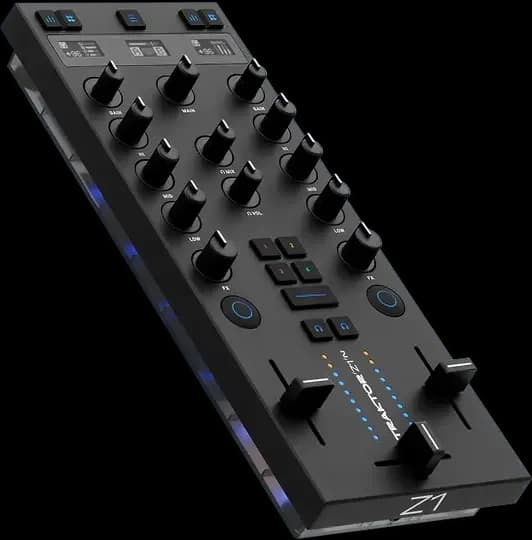
A pocket Traktor mixer and 24-bit sound card with Traktor Pro 4 included; it needs an X1 for play and cue.
Photos: Native Instruments
4 of 4 reviews recommend it5 owner reviews read
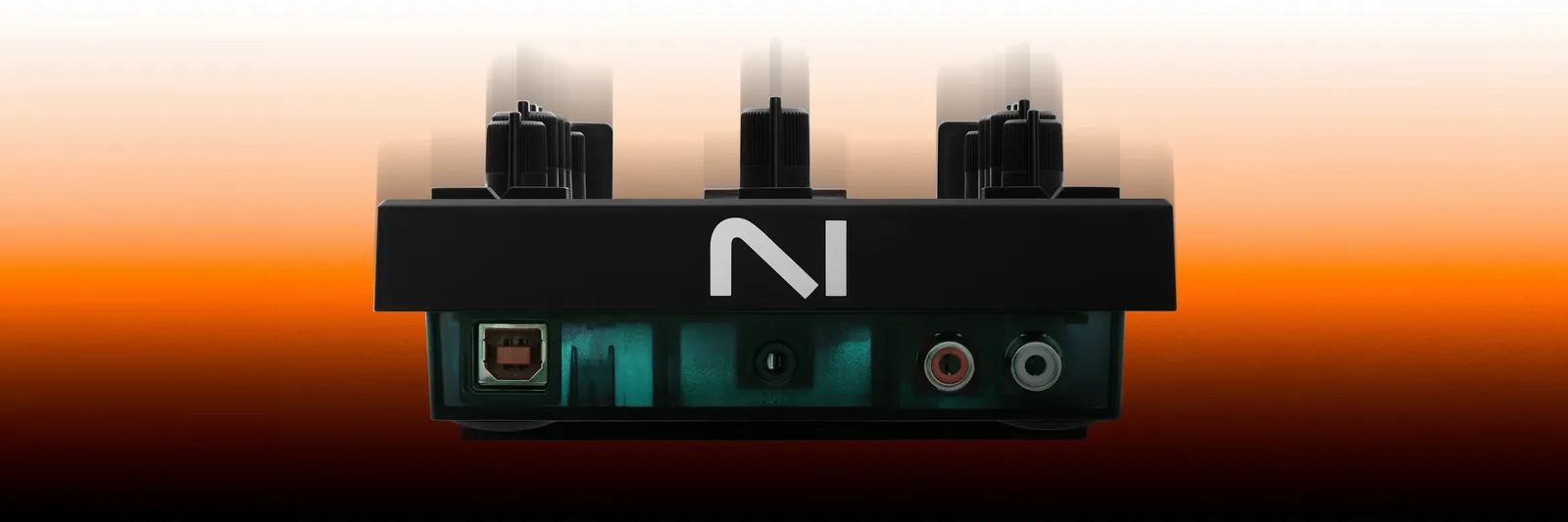
Choose it over the MX2 if you want the smallest Traktor setup that still has a mixer, a 24-bit/96 kHz sound card and headphone cueing beside a laptop. Its two channels carry 3-band EQs that switch to a stem layer, nine Mixer FX and a button that moves them to Decks C and D, the main output is RCA or 3.5 mm, and the headphone output is 3.5 mm only. It has no jog wheels and no play or cue buttons, so on its own it suits set preparation and mixing from the laptop; Native Instruments pairs it with one X1 MK3 for cueing, loops and effects, or with two for four decks. It connects over USB-B and needs Traktor Pro 4.1 or later, which is included.
- Best for
- Traktor DJs who want the smallest mixer and sound card, with the software included.
- Skip it if
- You want transport controls, USB-C, XLR outputs or software other than Traktor.
What people praise
- Built-in 24-bit/96 kHz audio interface for speakers and headphones
- Small and light enough to carry anywhere with a laptop
What to know first
- USB-B rather than USB-C
- No play or cue controls, so most setups add an X1
Decks and effects beside a mixer or CDJs
Native Instruments Traktor X1 MK3
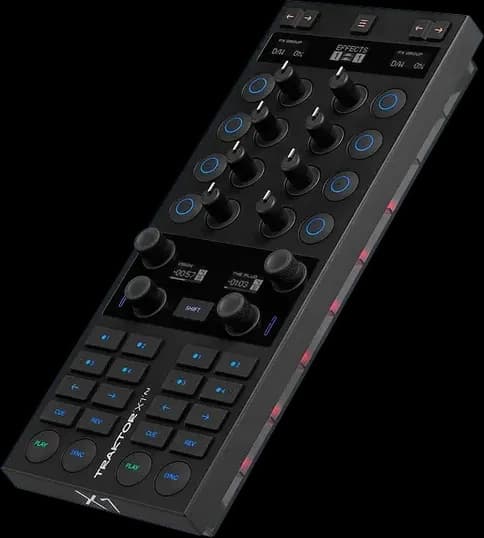
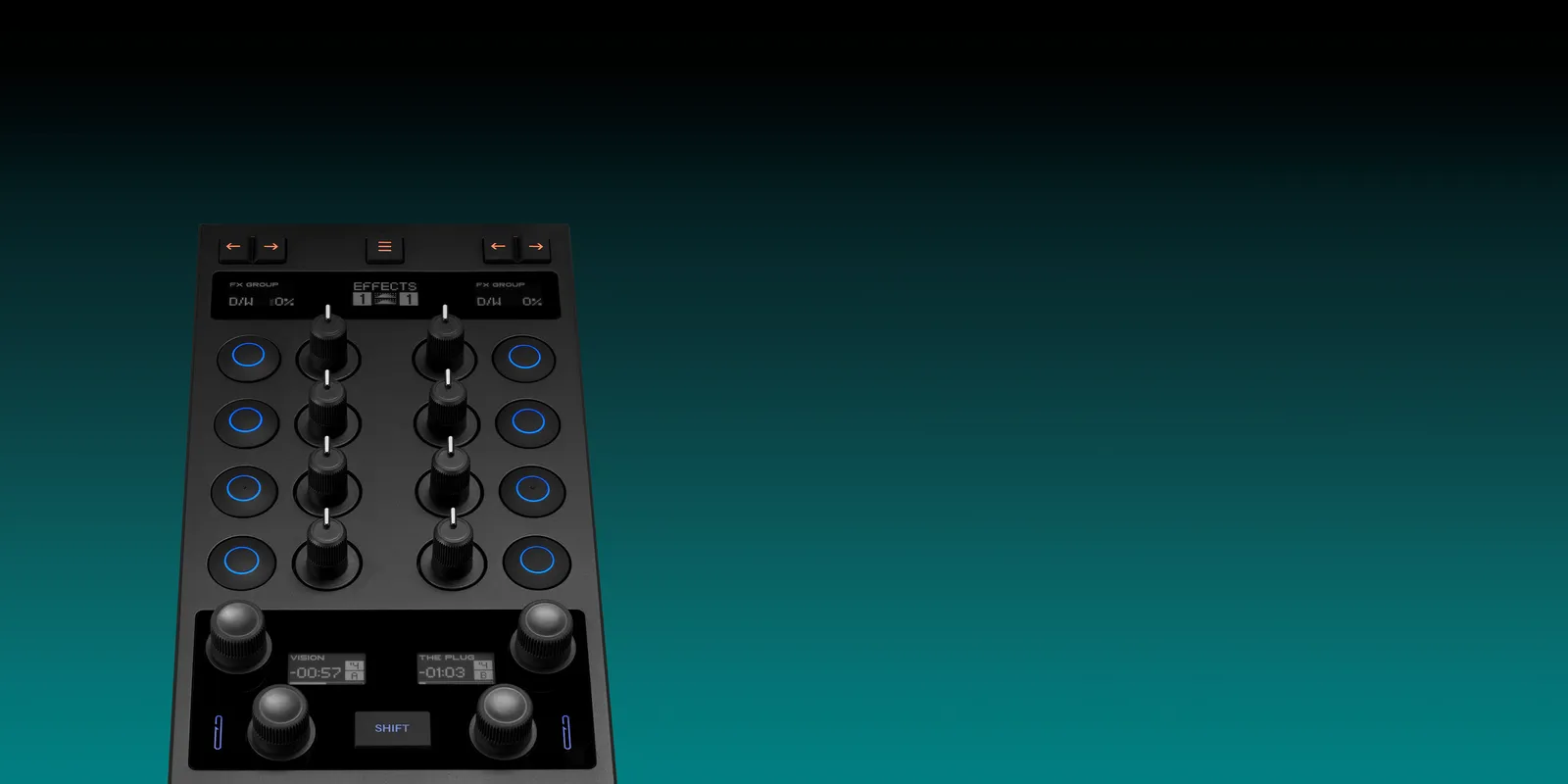
The modular Traktor deck-and-effects controller, refreshed with displays and a mixer mode; no sound card inside.
Photos: Native Instruments
of 7 reviews recommend itand 13 owner reviews
Choose it if you already play on a club mixer or CDJs and want Traktor's transport, hot cues, loops and effects under your hands, or to add deck control to a Z1 MK2. Its five OLED displays show track progress, loop size and the selected effects, a one-button mixer mode takes over EQs and channel levels, and its three-port powered USB hub connects CDJs in HID mode or a second X1. It has no sound card: Native Instruments' setups route audio through a mixer with a built-in interface, a Z1 MK2 or the laptop's own output, so a laptop-only DJ with no mixer should start with the Z1 MK2 or the MX2. It runs on USB bus power, needs the included power supply only for the hub, and works with Traktor Pro 3.10 or later, with Traktor Pro 4 included; outside Traktor it is a plain MIDI controller with mappings you make yourself.
- Best for
- Traktor DJs who want compact deck, loop and effects control beside a mixer.
- Skip it if
- You need a built-in sound card or USB-C, or you DJ outside Traktor.
What people praise
- Solid build with crisp, tactile buttons and encoders
- Compact and light enough to travel in a backpack
What to know first
- No built-in audio interface, unlike the Allen & Heath Xone:K2
- USB-B and USB-A ports rather than USB-C
Also considered
- Controllers from other brands that run Traktor. Native Instruments' Traktor Play comparison lists plug-and-play support for the DDJ-FLX4 and DDJ-FLX2, and factory mappings for the Reloop Buddy and Reloop Ready, in both Traktor Play and Traktor Pro 4, and AlphaTheta says the FLX4 and FLX2 work with Traktor Play at no extra cost. Their records summarise reviews written with rekordbox, Serato and djay, not Traktor, so none is a pick here. If you own one, try Traktor on it before buying anything: Native Instruments charges only the difference to move from Traktor Play to Traktor Pro 4.
- Traktor Kontrol S4 MK3. The four-channel flagship with motorised jog wheels, phono inputs on two channels, balanced XLR and booth outputs and a standalone mixer mode. All thirteen professional reviews in its record recommend it, but Native Instruments has dropped it from its controller lineup, which is now the MX2, X1 and Z1, and names no successor.
- Traktor Kontrol S2 MK3. No longer in the lineup; the MX2 is the two-channel controller that replaces it, and three sources find the MX2 the bigger of the two. Native Instruments still lists the S2 MK3 as supported by Traktor Play and Traktor Pro 4.
- Windows 11 and the MK3 S-series. A Windows 11 security change blocks Native Instruments' ASIO driver for the S2 MK3 and S4 MK3. Native Instruments recommends switching to WASAPI (Exclusive) in Traktor Pro 4.5 while it works on an update. Check this before buying either one used.
- Traktor Kontrol S3, S8, F1 and the earlier X1 and Z1. No longer sold by Native Instruments. Traktor Pro 4 still supports the S3, and the MX2 can run alongside an F1 for Remix Decks, per Native Instruments.
- Allen & Heath Xone:K2. Seven sources on the X1 MK3 name it as the modular controller with a sound card inside, which the X1 lacks. It has no page or record here yet.
How to choose a Traktor controller
Traktor Play or Traktor Pro 4
Traktor Play runs two decks with a reduced set of effects and no timecode vinyl. Traktor Pro 4 adds four decks, Remix Decks, mix recording and the full effects, and it is the only version that supports the X1 MK3, Z1 MK2, S4 MK3 and S3, according to Native Instruments' comparison. The MX2, Z1 MK2 and X1 MK3 all include Traktor Pro 4, which also splits tracks into drums, bass, instruments and vocals: the MX2's pads and the Z1 MK2's EQ knobs control those parts directly, though Crossfader notes a track has to be analysed for stems before you load it. See what Traktor is and getting started with Traktor.
Two channels or four
Two channels are enough to learn on and for most home mixing. The MX2 has two; the Z1 MK2 switches its two between all four Traktor decks; an X1 MK3 controls two decks at a time, and two X1s cover four. The guide to two and four channels explains the difference.
Outputs
The MX2 and Z1 MK2 have RCA and 3.5 mm main outputs, fine for home speakers and for plugging into a club mixer. Neither has a balanced XLR output or a booth output, which four sources on the MX2 raise, and the X1 MK3 has no outputs at all. The S4 MK3 had XLR and booth. See what an audio interface does.
Turntables and timecode vinyl
Timecode vinyl needs Traktor Pro 4; Traktor Play doesn't support it, per Native Instruments' comparison. None of the three current controllers has turntable inputs: the MX2's only input is a microphone jack. Use a mixer with a built-in sound card instead. Pioneer DJ certifies the DJM-250MK2 and DJM-450 for Traktor DVS, though its pages name Traktor Pro 3. Add an X1 MK3 if you want deck controls beside the decks. The guide to digital vinyl systems explains the setup.
Traktor after the inMusic deal
In March 2026 Native Instruments said its German companies were moving from preliminary into formal insolvency as part of a restructuring, and in May 2026 inMusic agreed to buy it. inMusic also owns Denon DJ, Numark and Rane. Native Instruments' FAQ on the deal says all its products and platforms, Traktor included, continue under the new ownership, licences are unaffected, and it will share the product roadmap once it is confirmed.
How these picks are made
Each pick is the controller with the strongest evidence for its situation. The evidence is what professional reviews conclude and what owners report on retailer sites, compiled for each product, with every source linked on its product page. There are three picks because Native Instruments' current range is three products and the other controllers that run Traktor were reviewed with other software. Their specs and the Traktor Play comparison come from the Native Instruments pages linked here. No controller here was tested in a lab. Prices come from daily tracking across the retailers we link to, and the status beside each one compares today's price with the lowest recorded. The methodology explains the whole process.